
Where Do I Go to Fax Documents? 7 Best Options
Table of Contents
In a world of instant messaging and email, the need to send a fax can feel like a relic from a bygone era. Yet, for critical documents in legal, financial, and healthcare sectors, faxing remains a necessary and secure method of transmission. If you find yourself holding an important form and asking, "where do I go to fax documents?", you're not alone. The good news is that you no longer need access to a bulky, traditional fax machine.
Ready To Fax?
Start sending faxes online in seconds with FaxZen - No account required
Send Fax Now 🚀Ready to skip the lines and send your documents securely from anywhere? With FaxZen, you can turn your computer or smartphone into a powerful fax machine in minutes. Visit FaxZen to see how easy, affordable, and convenient modern faxing can be.
Today, your options are more convenient and varied than ever. They range from modern online platforms that let you send a fax from your phone to reliable walk-in services at local stores. This guide provides a detailed roundup of the best places to go, covering everything from neighborhood print shops to secure online fax services. We will break down the costs, speed, security considerations, and step-by-step processes for each option. Whether you need to send a one-time document or manage regular faxing, this list will help you find the perfect solution. Each entry includes practical tips to ensure you can send your documents with confidence and ease.
Online Fax Services: The Modern Solution
When you need a reliable and professional answer to the question "where do I go to fax documents," online fax services like FaxZen stand out as a premier modern solution. They eliminate the need for physical hardware and complex subscriptions, offering a streamlined, secure, and highly efficient way to handle both one-off faxes and regular business needs. These services are engineered for users who value speed, security, and powerful features without a steep learning curve.
A modern, web-based interface allows you to upload and send documents like PDFs, JPGs, and PNGs from any device in minutes. This makes it an ideal choice for professionals handling sensitive information, such as legal contracts or financial forms, as well as individuals sending tax documents from home. The key advantage is the ability to send a fax without ever leaving your desk, saving time and effort.
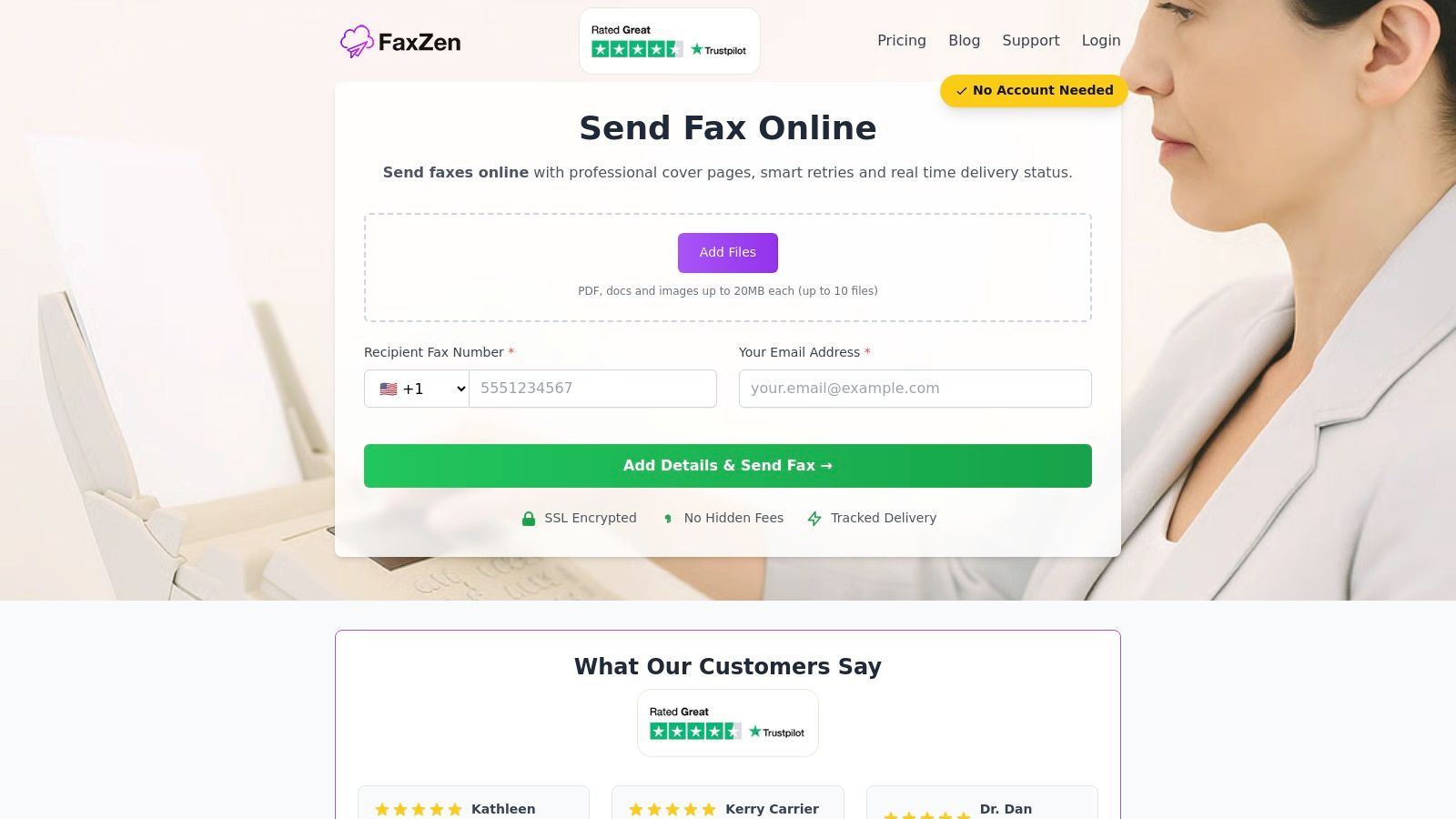
Security is non-negotiable when handling sensitive documents. Top online services address this with multiple layers of protection. Transmissions are typically secured with 256-bit SSL encryption, and payments are processed through secure gateways. Many platforms also offer features like real-time tracking, intelligent retry systems for busy lines, and professional cover pages. To explore how online options stack up, you can find a detailed breakdown in this comparison of the best online faxing service.
Shipping and Parcel Centers
For those who prefer a familiar, in-person experience, shipping centers like The UPS Store and FedEx Office offer a reliable, nationwide solution. With thousands of locations, you're likely to find a store nearby. This option is ideal for individuals who don't have a digital copy of their document, need assistance from a staff member, or want the comfort of a printed confirmation receipt handed to them immediately.
Unlike online services, these stores provide a tangible, walk-in service where an associate can handle the entire faxing process for you. This hands-on approach is particularly helpful if you are sending sensitive materials and want to ensure they are transmitted correctly. They also offer both domestic and international faxing capabilities, making them a versatile choice for personal and business needs. You can learn more about this option in our detailed guide on UPS fax services.
A significant drawback is the lack of standardized pricing. Since many locations are franchises, the cost per page for sending and receiving faxes varies. You can expect to pay a higher price for the first page and a reduced rate for subsequent pages. It’s always best to call your local store for a quote beforehand. This pay-per-use model can become costly for multi-page documents compared to online subscription services.
Pro Tip: Many shipping centers are one-stop shops. You can often get documents notarized, printed, scanned, and faxed in a single visit, saving you valuable time.
Office Supply Stores
For those searching where to go to fax documents with more control over the process, office supply retailers like Office Depot/OfficeMax and Staples offer a convenient self-service option. Their locations are widespread and easily accessible, making them a reliable choice for sending faxes without needing direct staff assistance for every step. This model is ideal for users who are comfortable operating a machine themselves and value the ability to handle their documents personally from start to finish.
Unlike full-service counters, the self-service machines at these stores provide a degree of autonomy and are often integrated with other useful services like printing and scanning. This makes them a great one-stop shop for digitizing a physical document before sending it, or for printing a document you've received electronically. The clear, posted starting price also helps manage expectations, providing a transparent cost baseline before you even begin. This is a great way to fax without a fax machine when you prefer a physical location.
The process is designed for user independence. You'll typically find a dedicated self-service print and copy station with a multifunction machine that includes faxing capabilities. You simply follow the on-screen instructions to input the destination fax number, feed your documents into the scanner, and process the payment, usually with a credit or debit card. The machine will then print a confirmation sheet for your records, providing proof of a successful transmission.
Subscription-Based Online Fax Platforms
For individuals and businesses seeking a robust and scalable solution, platforms like eFax and FAX.PLUS present powerful online options. They move beyond simple one-off sending to offer a comprehensive suite of features designed for regular use, including mobile apps, email-to-fax capabilities, and powerful integrations. This makes them an excellent choice for remote workers, legal professionals, and companies that rely on fax for regulated workflows or frequent communication.
Unlike pay-per-fax services, these platforms are built on a subscription model, offering various tiers that cater to different needs, from occasional individual use to enterprise-level requirements. The user experience is modern and streamlined. You can send a fax by uploading a document through a web portal, mobile app, or by simply sending an email to a designated fax number. You receive a detailed confirmation report via email, providing a digital paper trail for your records. For a deeper look at the technology, check out our guide on how to fax documents online.
These services operate on a tiered subscription basis, from a free plan with a limited page count to various paid levels. Each paid plan comes with a set monthly page allowance and transparent overage rates, which makes budgeting predictable for businesses. While this model offers excellent value for regular users, it can be less cost-effective for someone who only needs to send a single, one-time fax. Learning how to fax from a cell phone has become a popular feature of these platforms.
| Feature | In-Person (UPS/FedEx) | Self-Service (Staples/Office Depot) | Online (FaxZen/eFax) |
|---|---|---|---|
| Convenience | Requires travel | Requires travel | Send from anywhere |
| Assistance | Staff-assisted | Self-service | Online support |
| Pricing Model | Pay-per-page | Pay-per-page | Pay-per-fax or subscription |
| Confirmation | Printed receipt | Printed receipt | Digital confirmation via email |
| Best For | Physical documents, receiving faxes | Quick, DIY faxes | Digital documents, remote use |
Frequently Asked Questions (FAQ)
1. How much does it typically cost to send a fax? The cost varies significantly. In-person services at places like The UPS Store or FedEx Office often charge per page, with the first page being the most expensive (e.g., $1-$3 per page). Online services can be more cost-effective, with some offering pay-per-fax models around $1.50 per fax or monthly subscriptions that include hundreds of pages for a flat fee.
2. Can I send a fax from my smartphone? Yes, absolutely. Most online fax services, including FaxZen, have mobile-friendly websites or dedicated apps that allow you to upload documents from your phone's storage or take a picture of a physical document and send it as a fax.
3. What is more secure: in-person or online faxing? Both can be secure. Online fax services use strong encryption (like 256-bit SSL) to protect your data during transmission. In-person services require you to hand your documents to an employee, which introduces a human element. For maximum privacy where no third party sees your documents, an encrypted online service is often preferred.
4. Do I need a physical copy of my document to send a fax? If you use an in-person retail service, you can bring a physical copy. If you use an online fax service, you will need a digital version of your document (like a PDF, DOCX, or JPG). You can easily create one by scanning the document or taking a clear photo with your phone.
5. How do I know if my fax was successfully sent? In-person services provide a printed confirmation sheet as proof of transmission. Online fax services send a detailed confirmation report to your email address, often including a copy of the first page sent, the time of delivery, and the recipient's number.


