
Best Online Faxing Service: Compare Top Providers Now
Table of Contents
Navigating the world of online faxing can be challenging. While physical fax machines are increasingly rare, the need to send secure, legally binding documents remains critical for many professionals and businesses. From legal filings to contracts and government forms, faxing provides a level of security and traceability that email often lacks. The problem is finding a service that fits your specific needs without locking you into an expensive, feature-heavy subscription you'll barely use.
Ready To Fax?
Start sending faxes online in seconds with FaxZen - No account required
Send Fax Now 🚀Ready to find the perfect online fax solution? Visit FaxZen today to experience simple, secure, pay-per-use faxing without the monthly fees.
This guide is designed to cut through the noise. We’ve compiled a comprehensive list of the best online faxing service options available today, providing a detailed analysis of each platform. Our goal is to help you make an informed decision, whether you're a small business owner, a legal professional, or an individual who only needs to send a fax a few times a year. We'll examine key differentiators like pricing models, security protocols, international coverage, and unique features such as advanced scheduling and audit trails. Each review includes practical use-case scenarios and an honest look at potential limitations. For those managing a high volume of digital paperwork, integrating a fax service with broader document management services can create a seamless workflow.
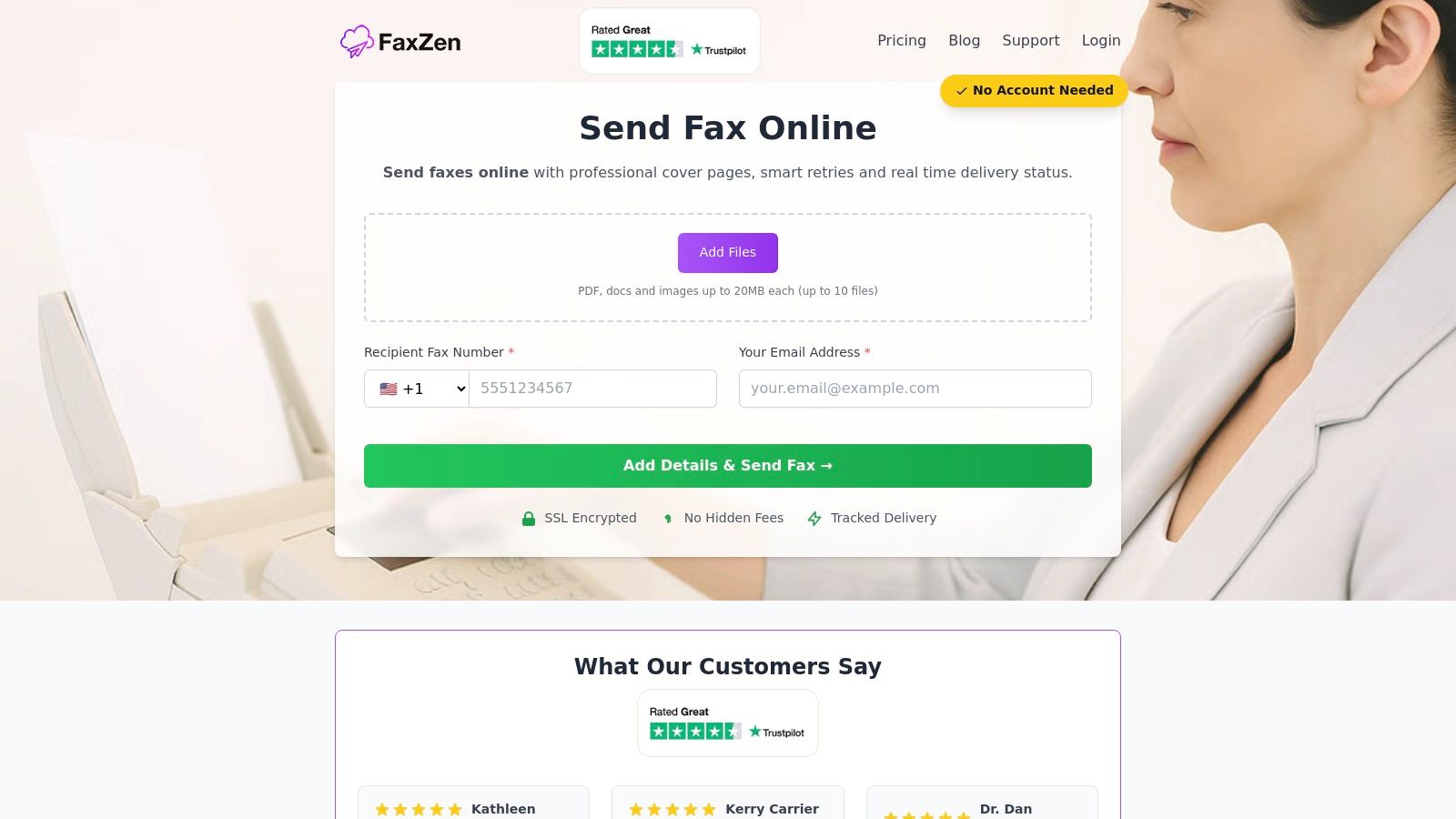
1. FaxZen
FaxZen establishes itself as a premier choice by excelling where many subscription-based services fall short: simplicity, security, and transparent, on-demand pricing. It is meticulously engineered for users who need a reliable, machine-free fax solution without the commitment of a monthly plan, making it a strong contender for the overall best online faxing service. The platform’s core strength lies in its streamlined, pay-per-fax model, allowing anyone to upload a document, enter a recipient, and send a fax within minutes, no account required.
This approach is ideal for small businesses, legal professionals, and remote workers who fax infrequently but require absolute delivery assurance for critical documents. FaxZen reinforces this with a robust feature set, including real-time delivery tracking and an intelligent two-stage retry system that maximizes success rates. Its security-first posture, featuring 256-bit SSL encryption and automatic document deletion after 24 hours, provides essential peace of mind for handling sensitive information. While exceptional for outbound, on-demand faxing, FaxZen’s primary focus is on sending. The service does not currently offer dedicated inbound fax numbers for receiving faxes, and its 24-hour document deletion policy, while excellent for privacy, means it's not a long-term document storage solution.
Website: https://faxzen.com
2. eFax
As one of the most established names in digital faxing, eFax has built a reputation for offering a comprehensive suite of features that cater to a wide range of users, from individuals to large enterprises. The platform is a solid choice for those seeking an all-in-one solution that bundles a dedicated fax number with extensive mobile and desktop capabilities. Its core strength lies in its robust infrastructure and brand recognition, making it a reliable pick for consistent, high-volume faxing needs.
Users can send and receive faxes through a dedicated online portal, mobile apps for both iOS and Android, or directly from their email client. This versatility is a major draw, allowing professionals to manage faxes from anywhere. While its base subscription cost is higher than many competitors and its promotional pricing can be misleading, its extensive feature set and scalability justify the investment for many. The platform also includes team management features on its higher tiers, which is crucial for organizations needing to share a single fax line among multiple employees. For those specifically looking to integrate faxing with their email, it's useful to understand the technical setup required, which you can read more about how to send a fax from Gmail.
Expert Insight: eFax is best for businesses and regulated industries needing a feature-rich, subscription-based service with a dedicated number and mobile access. Its long-standing reputation makes it a dependable, if pricey, choice.
Pros:
- Long-standing, recognized brand in the online faxing service space.
- Scales effectively from individual use to enterprise-level requirements.
Cons:
- Monthly subscription costs are higher than many alternatives.
- Initial promotional rates increase significantly after the introductory period.
3. FAX.PLUS (by Alohi)
FAX.PLUS, developed by Alohi, presents itself as a modern and security-conscious online fax service tailored for users ranging from small businesses to large enterprises. It stands out by offering robust administrative controls, single sign-on (SSO) capabilities, and data residency options, making it a strong contender for organizations with strict compliance and integration needs. The platform is built around a clean, user-friendly interface that simplifies sending and receiving faxes via its web portal, dedicated mobile apps, or directly through email.
For businesses, FAX.PLUS offers advanced features like a team admin console and CSV export on its Business tier, allowing for streamlined management of multiple users and fax lines. Its Enterprise plan further enhances security and provides API access for custom integrations. While its free plan is quite restrictive and overage fees on paid plans can accumulate, its clear feature tiering provides a scalable pathway for growing businesses. Those exploring various providers will find it a compelling option among the best online fax services available today.
Pros:
- Strong focus on security and enterprise-grade features like SSO.
- Excellent team and multi-number management capabilities.
Cons:
- The free plan is extremely limited in pages and functionality.
- Costs can increase with overage fees for extra pages.
4. SRFax
SRFax has carved out a niche as a highly reliable and secure online faxing service, making it a top choice for industries where data integrity is paramount, particularly small to medium-sized businesses. Its reputation is built on a no-frills, function-over-form approach that prioritizes robust performance. The service offers a straightforward way to send and receive faxes via its web portal, email, or even through a print driver, providing essential flexibility for various professional workflows in the U.S. and Canada.
The platform’s key differentiator is its strong focus on security. This makes it an ideal solution for legal offices and any organization handling sensitive information. While its user interface is more utilitarian and less modern than some newer competitors, its performance and generous feature set, including unlimited storage and multi-user support on certain plans, provide significant value. For businesses in regulated sectors, understanding security protocols is critical. SRFax stands out as a dependable workhorse in the best online faxing service market.
Pros:
- Excellent reputation for reliability and security.
- Competitive pricing across various volume tiers, offering good value.
Cons:
- The user interface is less polished and modern than many competitors.
- Service is limited to the United States and Canada.
5. Nextiva vFAX
While Nextiva is widely known for its comprehensive unified communications (UCaaS) platform, its standalone Nextiva vFAX service offers a streamlined and cost-effective solution for businesses that need reliable online faxing without the bundled extras. It’s an ideal choice for small businesses looking for a straightforward, subscription-based service with predictable costs and a generous page allowance. The platform provides a dedicated fax number and supports sending and receiving faxes directly through its online portal or via an existing email client.
The core strength of Nextiva vFAX lies in its value proposition, providing a substantial pool of pages at a competitive monthly rate. Users can manage their fax communications efficiently, with features like SMS alerts for incoming faxes and secure transmission using 256-bit SSL encryption. While it may not have the extensive enterprise-level features of some competitors, its simplicity is a key advantage for teams that don't require complex integrations or advanced user management tools. For organizations prioritizing a simple interface and predictable billing, Nextiva vFAX stands out as a strong contender.
Pros:
- Very competitive monthly pricing for its included page volume.
- Predictable and affordable per-page overage rates.
- Simple setup and user-friendly portal for easy management.
Cons:
- The feature set is leaner compared to more enterprise-focused services.
- Lacks advanced features like e-signatures or extensive third-party integrations.
6. RingCentral (Online Fax within RingEX)
As a leader in Unified Communications as a Service (UCaaS), RingCentral offers online faxing not as a standalone product but as an integrated component of its comprehensive RingEX communications suite. This approach is ideal for businesses that already use or are looking to adopt a unified platform for voice, video, messaging, and fax. Instead of managing separate services, teams can handle all communications from a single application.
RingCentral allows users to send faxes directly from their email, the desktop app, or the mobile app. Features like scheduled sending and customizable cover page templates add a layer of professionalism and convenience. For developers and IT teams, RingCentral's robust Fax API enables automation and custom integrations with other business software. However, because faxing is bundled with its broader UCaaS offerings, organizations that only need a fax solution may find the pricing higher than dedicated services.
Pros:
- Enterprise-grade platform with a wide range of integrations and high reliability.
- Strong API and administrative depth, offering excellent control for IT teams.
Cons:
- Fax-only users may pay more as faxing is bundled with the UCaaS suite.
- May require contacting sales for exact fax allowances and pricing details.
7. FaxZero
FaxZero carves out a unique niche by offering a straightforward, no-account-needed solution for users who only need to send documents occasionally. This web-based platform is designed for pure utility and speed. Its primary appeal lies in its free tier, which permits users to send faxes of up to three pages to numbers in the United States and Canada, making it an excellent choice for quick, non-critical transmissions.
The service operates on a freemium model. The free option includes a FaxZero ad on the cover page and is limited to five faxes per day. For those needing a more professional appearance or priority delivery, the "Almost Free" fax option removes the branding for a small, one-time fee. This model is ideal for individuals who need to send a fax for a specific, isolated task, like submitting a form or a signed document. If you're exploring different ways to handle a one-off task, you can find more details about how to send a fax online one-time. While it lacks receiving capabilities, its accessibility makes it a go-to for urgent, send-only needs.
Pros:
- Truly no-account required, making it incredibly fast for one-off faxes.
- Free sending option is perfect for personal or non-urgent use.
Cons:
- Strictly a send-only service; you cannot receive faxes or get a number.
- Free faxes are limited to 3 pages and include a branded cover page.
Top Online Fax Services Comparison
| Service | Best For | Pricing Model | Key Feature |
|---|---|---|---|
| FaxZen | Occasional, secure sending | Pay-per-fax | No account needed |
| eFax | High-volume businesses | Subscription | Dedicated fax number |
| FAX.PLUS | Teams needing security | Subscription | Team admin console |
| SRFax | Security-conscious SMBs | Subscription | Strong encryption |
| Nextiva | Predictable high volume | Subscription | Large page pools |
| RingCentral | Integrated communications | Bundled Subscription | Unified platform |
| FaxZero | Free, one-off faxes | Freemium | No-cost sending (w/ ads) |
Final Thoughts
Our comprehensive exploration of the online faxing landscape has revealed a diverse ecosystem of tools, each with its own distinct advantages. The clear takeaway is that the "best online faxing service" is not a one-size-fits-all solution; it is entirely dependent on your specific faxing frequency, security requirements, technical needs, and budget. For those who send faxes infrequently, a pay-per-use model prevents wasteful spending on idle accounts. Conversely, if your organization faxes dozens of documents daily, a subscription plan might offer more predictable costs.
Ultimately, the best online faxing service is the one that seamlessly integrates into your workflow without becoming a financial or administrative burden. It should empower you to communicate securely and efficiently, whether you're sending a one-page form or a multi-page legal filing. The modern ideal is a service that works for you on your terms, offering power and flexibility without demanding long-term commitment. For those seeking a modern solution that aligns with the needs of occasional users and small businesses, FaxZen offers a clear, transparent pay-per-fax service that ensures you only pay for what you actually use.
Frequently Asked Questions (FAQ)
1. Can I send a fax from my computer?
Yes, all modern online fax services allow you to send a fax directly from your computer using a web browser. You simply upload your document (like a PDF or Word file), enter the recipient's fax number, and send. Many services also let you read up on how to fax from an iPhone or other mobile devices.
2. Is online faxing secure?
Reputable online fax services use strong encryption (like 256-bit SSL/TLS) to protect your documents during transmission. This is often more secure than a traditional fax machine, where documents can be left unattended in a shared office space. For maximum privacy, look for services that automatically delete your files after a short period.
3. Do I need a subscription to send a fax?
Not necessarily. While many services operate on a monthly subscription model, providers like FaxZen offer a pay-per-use option. This is ideal for individuals or small businesses who only need to send a fax occasionally and don't want to be tied to a recurring fee.
4. Can I receive faxes with an online service?
To receive faxes, you will typically need a subscription plan that provides you with a dedicated online fax number. Services that are send-only or pay-per-use usually do not offer inbound faxing capabilities.
5. How much does it cost to send a fax online?
Costs vary widely. Subscription plans can range from $10 to $50+ per month, depending on the number of pages included. Pay-per-use services might charge a flat fee per fax, which can be more cost-effective for infrequent users. Always check for setup fees or overage charges for exceeding your page limit.


