
How to Send a Fax Without a Machine in Minutes
Table of Contents
Trying to send a fax without a machine can feel a little old school, but it's still a daily reality for anyone dealing with legal, business, or personal documents. The good news? The simplest way to get it done today is with an online fax service. This whole process has moved to the cloud. You just upload a digital document—like a PDF—from your computer or phone, punch in the recipient's fax number, and send it securely right over the internet.
Ready To Fax?
Start sending faxes online in seconds with FaxZen - No account required
Send Fax Now 🚀Ready to send a fax in the next two minutes? Give FaxZen a try for a dead-simple, secure, and reliable experience. Send Your First Fax Now
Understanding Modern Faxing
For many, the word "fax" conjures images of a bulky, beige machine humming away in a dusty office corner. While that old hardware is certainly becoming a relic, the need for faxing is surprisingly persistent, especially in industries like law and finance. Faxing remains a trusted method because it creates a direct, point-to-point connection that is difficult to intercept, offering a unique level of security.
The best part is that you no longer need any of that clunky hardware or a dedicated phone line. Online fax services have completely changed the game, acting as a perfect bridge between the convenience of digital files and the trusted technology of traditional faxing. These platforms handle all the technical heavy lifting, seamlessly converting your file and transmitting it to a physical fax machine on the other end. This isn't just a niche trend. In fact, many businesses still depend on faxing for critical operations. You can explore more data on modern business communication to see for yourself how relevant the technology remains.
Making the switch to an online service is about more than just ditching old equipment; it delivers real benefits that make the process faster and more reliable. The convenience is unmatched, as you can send a fax from anywhere with an internet connection. This also leads to real cost savings by eliminating expenses for paper, toner, machine maintenance, and a dedicated phone line. Furthermore, the best services use strong encryption to protect your documents, offering a level of security that old-school machines could never match. You also receive clear audit trails through instant delivery confirmations and detailed tracking reports, creating a perfect digital paper trail for your records. These advantages are why so many professionals now rely on cloud-based faxing solutions for their most important documents.
Step-by-Step Guide to Sending an Online Fax
The fastest way to get a document from your computer to a fax machine is with an online fax service. You can forget about hunting down a print shop or wrestling with a machine you haven't touched in years. The entire process happens through a simple website, accessible from anywhere. It starts by visiting the service's website, where you'll find a straightforward upload tool. Most modern services, including FaxZen, are built to handle virtually any file format, from polished PDFs to JPG scans from your phone or simple Microsoft Word files. This flexibility is a huge time-saver, as the platform does all the heavy lifting for you.
Once your file is uploaded, you just need to enter the recipient's fax number, including the correct country and area codes. This is also your chance to add a professional touch with a customizable cover page. A well-crafted cover sheet isn't just a formality; it acts as an introduction for your document, providing crucial context. It should clearly state who the fax is for, who it's from, your contact info, the date, and the total number of pages. This simple step prevents confusion and ensures your document lands on the right desk. Because you're sending documents digitally, security is paramount. When you send a fax with a service like FaxZen, you're using a form of secure encrypted file transfer with 256-bit SSL encryption to protect your data.
After you hit "send," the system gets to work. It translates your digital file into the analog format that fax machines understand and dials the number. If the line is busy, services with intelligent retry logic will automatically try sending it again. The moment the transmission is complete, you'll get an email confirmation that serves as your proof of delivery. This digital receipt includes a timestamp and the recipient's number, creating a perfect, auditable trail. For a deeper dive, check out our guide on how to send a fax online.
Pro Tip: Always look for a service that provides real-time status tracking. This feature offers peace of mind, letting you see exactly when your fax is queued, transmitting, and successfully delivered. You're never left guessing.
Comparing Modern Faxing Methods
While online services are often the best choice, understanding the full landscape of faxing options helps you pick the right tool for the job. Each method strikes a different balance between convenience, cost, and capability.
| Method | Best For | Key Advantage | Consideration |
|---|---|---|---|
| Online Fax Service | Businesses and individuals needing reliability | Highest security, tracking, and convenience | Pay-per-fax or subscription model |
| Email-to-Fax | Users with existing fax service subscriptions | Convenient for sending from your inbox | Requires initial setup with a provider |
| Mobile Fax App | On-the-go professionals and remote workers | Portability and scanning with a phone camera | App download and in-app purchases |
| Physical Fax Machine | High-volume, centralized office environments | Traditional and familiar workflow | Requires hardware, phone line, and supplies |
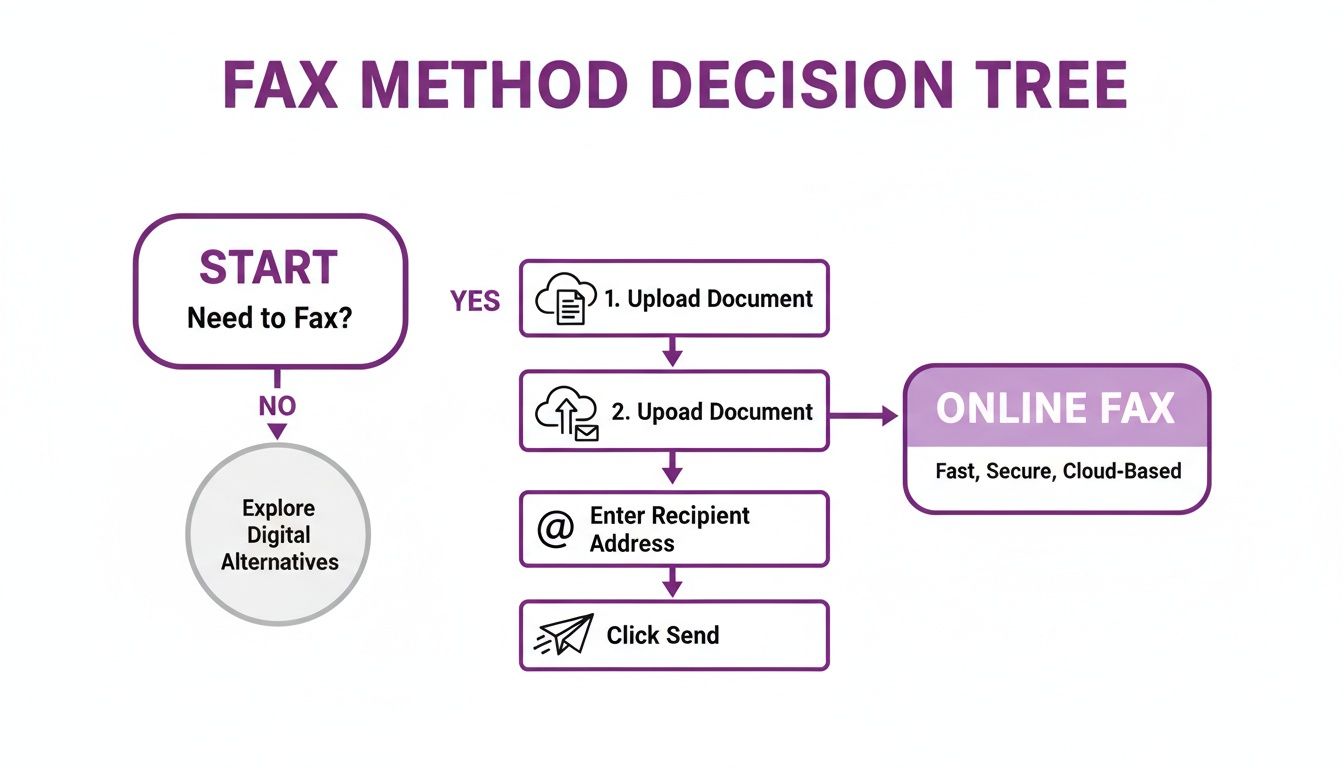
Each method has its place, but for most people needing to send a fax today, an online service offers the best mix of simplicity, security, and convenience. As the graphic below shows, it's often the straightest line from A to B: just upload, address, and send.
Preparing Your Documents for Faxing
A successful fax isn't just about what happens when you hit "send"—it's about the prep work beforehand. The clarity of the document on the other end is a direct result of how you prepare the file. If your original is blurry or poorly formatted, it will only get worse after being compressed and sent through a phone line. Taking a moment to get your file ready can save you the headache of failed transmissions and ensure your message looks professional and readable.
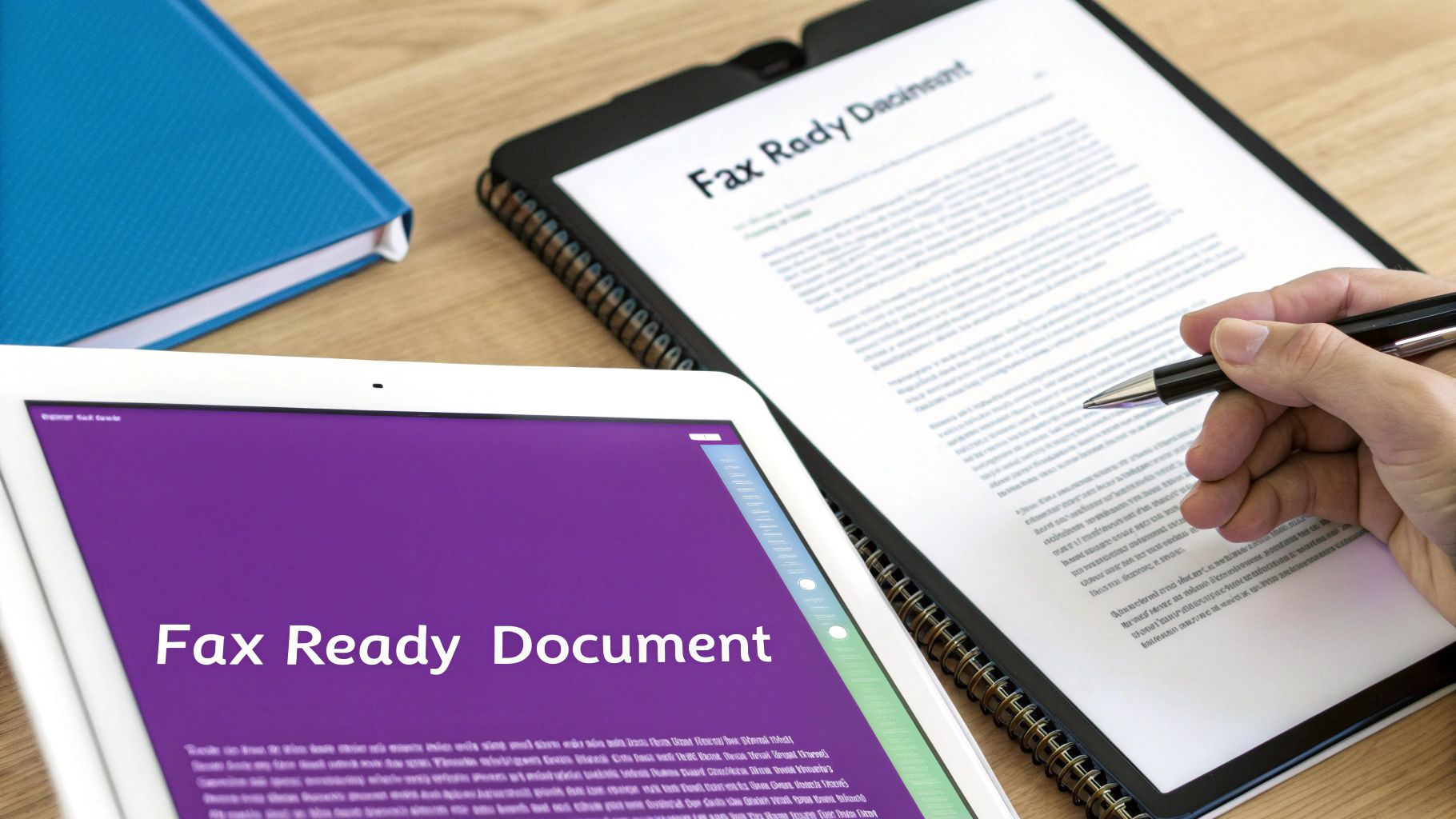
First, choose the right file format. PDF (Portable Document Format) is the undisputed champion because it was designed to look the same everywhere, which is critical for contracts and official forms. Other common formats like JPG, PNG, and TIFF are fine for scanned images, but ensure your file resolution is at least 200 DPI (dots per inch), with 300 DPI being even better for fine print. Ditch complex color gradients and busy backgrounds, as they look terrible when converted to black and white by a fax machine.
Next, always include a fax cover sheet. It’s your fax’s business card, telling the recipient what they're looking at and who it's for. A good cover sheet prevents your document from getting lost and should clearly state the recipient, sender, contact info, date, and total page count (including the cover sheet). This simple step adds professionalism and makes life easier for everyone. If you need a quick start, you can grab a free fax cover page template in PDF format.
Troubleshooting Common Faxing Problems
Even with modern technology, issues can arise when you send a fax. Fortunately, most fixes are simple. The most common problem is a transmission failure, which is often caused by a typo in the fax number. Your first move should always be to double-check every digit, including any necessary country or area codes. Another reason for failure could be an issue on the recipient's end, such as their machine being busy, turned off, or out of paper. Online services with an intelligent retry feature can automatically attempt to resend the fax, saving you the hassle.
If you don't receive a delivery confirmation, check your email's spam or junk folder before assuming it failed. Aggressive email filters can sometimes misfile these automated notifications. If the recipient reports that the fax is blurry or unreadable, the problem is almost always the original document. Go back to your source file and ensure it’s a high-resolution, clean copy. For more tips on this, see our guide on how to fax from a scanner. Most of the time, ruling out the simple stuff will solve the issue.
FAQ: Your Top Questions Answered
Can I send a fax from my computer?
Yes, absolutely. Sending a fax from your computer using an online service is the most common and efficient method today. You simply visit a website like FaxZen, upload your file (such as a PDF or Word document), enter the recipient's fax number, and click send. The service handles the conversion and transmission, and you receive an email confirmation upon delivery.
Do I need a phone line to send a fax?
No, a phone line is not necessary when using an online fax service. These services operate entirely over the internet, so all you need is a web browser and an internet connection. This eliminates the cost and hassle of maintaining a dedicated phone line, which is ideal for home offices and remote workers.
How do I know if my fax was delivered?
Reputable online fax services provide clear proof of delivery. As soon as your fax is successfully transmitted, you will receive a detailed confirmation report via email. This report typically includes the delivery time, recipient's number, number of pages sent, and a success status, serving as a digital paper trail for your records.
Is it safe to fax sensitive documents online?
Yes, it is highly secure when using a professional service. Top-tier platforms use robust security measures, such as 256-bit SSL encryption, to protect your documents from the moment you upload them. This makes it a reliable method for sending sensitive legal, financial, or personal information.
What file formats can I use to send a fax?
Most online fax services are flexible and accept a wide range of common file formats. The most popular and recommended format is PDF (.pdf) because it preserves formatting perfectly. However, you can also typically send Microsoft Word documents (.doc, .docx), image files (.jpg, .png), and spreadsheets (.xls, .xlsx) without needing to convert them first.
Related Articles
- Discover the benefits of cloud fax solutions for modern businesses.
- Learn how to create a fax cover sheet that looks professional.
- Need to send from a physical document? See how to fax from a scanner.
- Download a free fax cover page template in PDF format.
- Understand the basics with our article, "What is a fax number?".


