What Is Document Encryption? a Plain-English Guide
Table of Contents
- What Document Encryption Means in Plain Terms
- How a Key Scrambles and Unlocks a Document
- Protecting Documents at Rest and in Transit
- Algorithms and Standards Worth Recognizing
- Where Document Encryption Matters Most
- What Encryption Cannot Protect
- Confirm the Security Checks Before You Send
- Common Questions and Related Guides
Document encryption scrambles a readable file into ciphertext using an algorithm and a secret key, so anyone without the key cannot read it. AES, the cipher most services rely on, works in 128-bit blocks and supports 128-, 192-, and 256-bit keys.
Ready To Fax?
Start sending faxes online in seconds with FaxZen - No account required
Send Fax Now 🚀You're likely staring at a PDF right now, a contract, a tax form, or a clinic note, and wondering if sending it is safe. The lock on the file answers only part of that.
What Document Encryption Means in Plain Terms
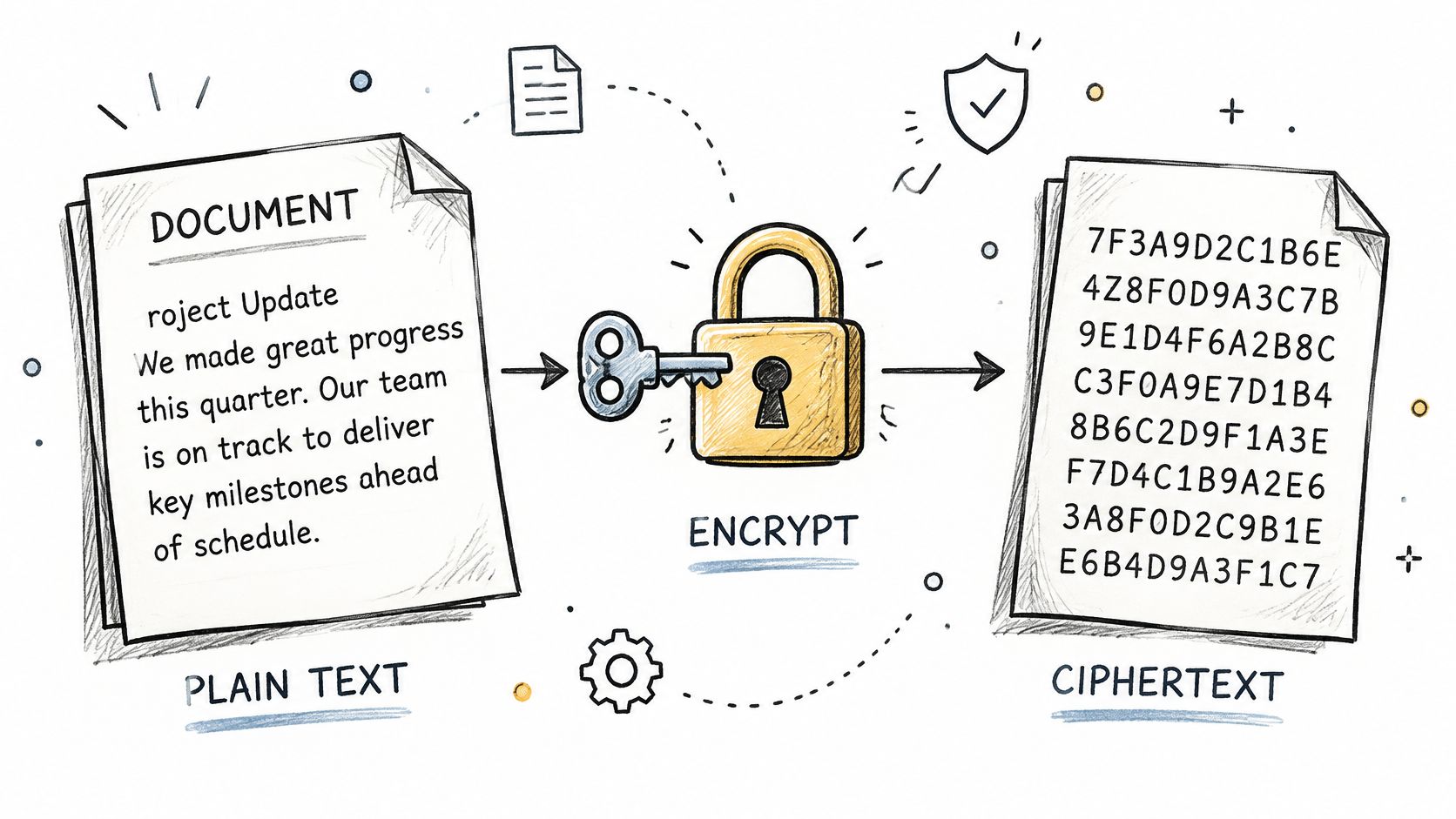
A clinic manager opens a tax form on a laptop before sending it to a payroll office. Encryption works like a locked box around that file. The design of the lock is the algorithm, and only the key opens it to show readable text again.
You already meet this with a client PDF, a tax return on a laptop, or a file sent through a service that encrypts uploads. A stolen file still shows only scrambled characters without the key.
Need to send sensitive pages today? Try encrypted fax delivery at FaxZen, then use the rest of this guide to judge any provider. Secrecy is only one layer. Ownership, access, and what happens after delivery still need separate checks.
How a Key Scrambles and Unlocks a Document
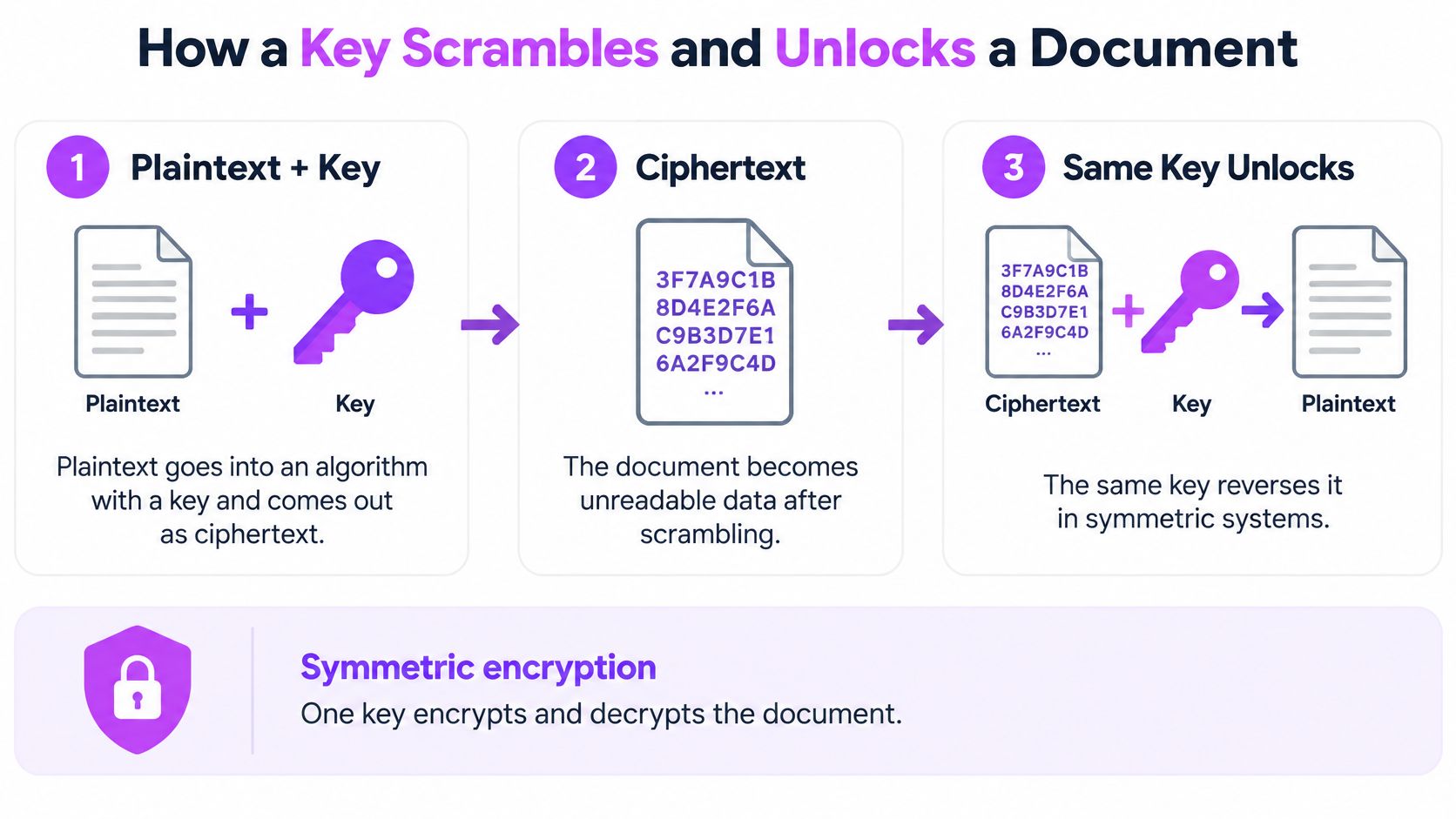
- Plaintext goes into an algorithm with a key and comes out as ciphertext.
- In a symmetric system, that same key reverses the scramble.
- Real services usually add a third move: they lock the file key itself and store it somewhere else.
Symmetric encryption uses one shared secret and is fast enough for large files. Asymmetric encryption uses a public key to lock and a private key to access, which is slower but safer for handing a secret to someone new. Most products mix the two. They create a random data-encryption key for the file, then keep that key in a protected system under least privilege. A key sitting beside the file defeats the lock.
NIST treats 128-, 192-, and 256-bit AES keys as adequate for federal use, and it expects logs of key generation, access, change, revocation, and destruction. AES-256 names the key length and a security strength near 256 bits against trying every key, not the length of your PDF.
| Model | How the keys work | Typical use | Main risk |
|---|---|---|---|
| Symmetric (AES) | One secret key encrypts and decrypts | Bulk document and file encryption | The shared key must stay secret and be distributed safely |
| Asymmetric (RSA, ECC) | Public key encrypts, private key decrypts | Exchanging keys, digital signatures | Much slower on large files |
| Hybrid (common in practice) | Asymmetric method protects a random symmetric key | Secure document transfer and storage | Security depends on key management |
Check a provider's docs for AES, for public keys or key exchange, and for a plain statement that keys live apart from documents.
Protecting Documents at Rest and in Transit
A document lives two different lives. It rests on a disk, a backup, or a temp folder. It travels across a network to a server or a recipient. Encryption has to cover both lives, because a lock on the stored copy does nothing for the copy moving over public Wi-Fi, and a protected upload does nothing for a forgotten download.
CISA's restricted-transaction security requirements separates stored data from data in motion and calls for protection of contents plus metadata such as permissions, labels, paths, and journaling. That split gives you a simple habit. Name the copy, then name the control. Teams that already map controls for security for CEF treasury operations will recognize the same habit here. A secure file transfer service still needs that check after the upload ends, when the file sits waiting for delivery or deletion.
| Stage | Main exposure | Protection | What to verify |
|---|---|---|---|
| Upload to a service | Interception on public networks | Encrypted transport (TLS or 256-bit SSL) | Secure connection shown in the browser |
| Stored on a server | Stolen disk, backup or insider access | Encryption at rest with keys stored apart from data | Where keys are kept and who can access them |
| Local laptop or phone | Lost device or malware | Full-disk encryption plus an encrypted file | Device lock and disk encryption turned on |
| Delivery to recipient | Wrong number or uncontrolled copies | Delivery confirmation with the original attached | Confirmation receipt and recipient check |
| Temporary files and downloads | Forgotten copies in caches or folders | Delete after use | Retention and deletion window |
Work through the table with three questions. Who holds the key. Where copies persist. How long they last before deletion.
FaxZen, for example, uses 256-bit SSL during transmission and storage, sends a confirmation with the original document attached, and deletes documents from its servers after 24 hours. Secrecy holds in each stage. The address, the timing, and the recipient still stay visible to the systems that move the file.
Algorithms and Standards Worth Recognizing
A provider page full of cipher names is a decoder, not a trophy case. Read the number as key length, the mode as tamper detection, and the transport name as the trip to the server.
NIST's AES specification defines AES as a symmetric block cipher: the same key encrypts and decrypts, and each key size still processes 128-bit blocks. AES-256 means AES plus a 256-bit key, not a vague promise of "strong encryption." Longer keys enlarge the key space, but the mode and the key safe still decide whether that math holds.
| Name | Key size or type | Status | Practical use |
|---|---|---|---|
| AES-128 | 128-bit key | NIST-approved; required TLS 1.3 cipher | Fast default for most files |
| AES-192 | 192-bit key | NIST-approved | Less common in document tools |
| AES-256 | 256-bit key | NIST-approved; OWASP's ideal key size | Strongest common choice for long-lived records |
| AES-GCM | Authenticated mode | Approved by OWASP | Confidentiality plus tamper detection |
| FIPS 203, 204, 205 | Post-quantum standards | Finalized by NIST | Ask providers about their migration plan |
GCM and CCM both hide the file and spot changes. With AES-GCM, a nonce must never repeat under the same key, or confidentiality and the tamper check can fail. The upload path should be TLS 1.3 with AES-GCM or ChaCha20-Poly1305. Our primer on 256-bit SSL encryption covers that channel in plain terms.
Practical rule: "AES encryption" with no mode and no key length tells you little. AES-256-GCM plus TLS 1.3 is specific enough to check.
Where Document Encryption Matters Most
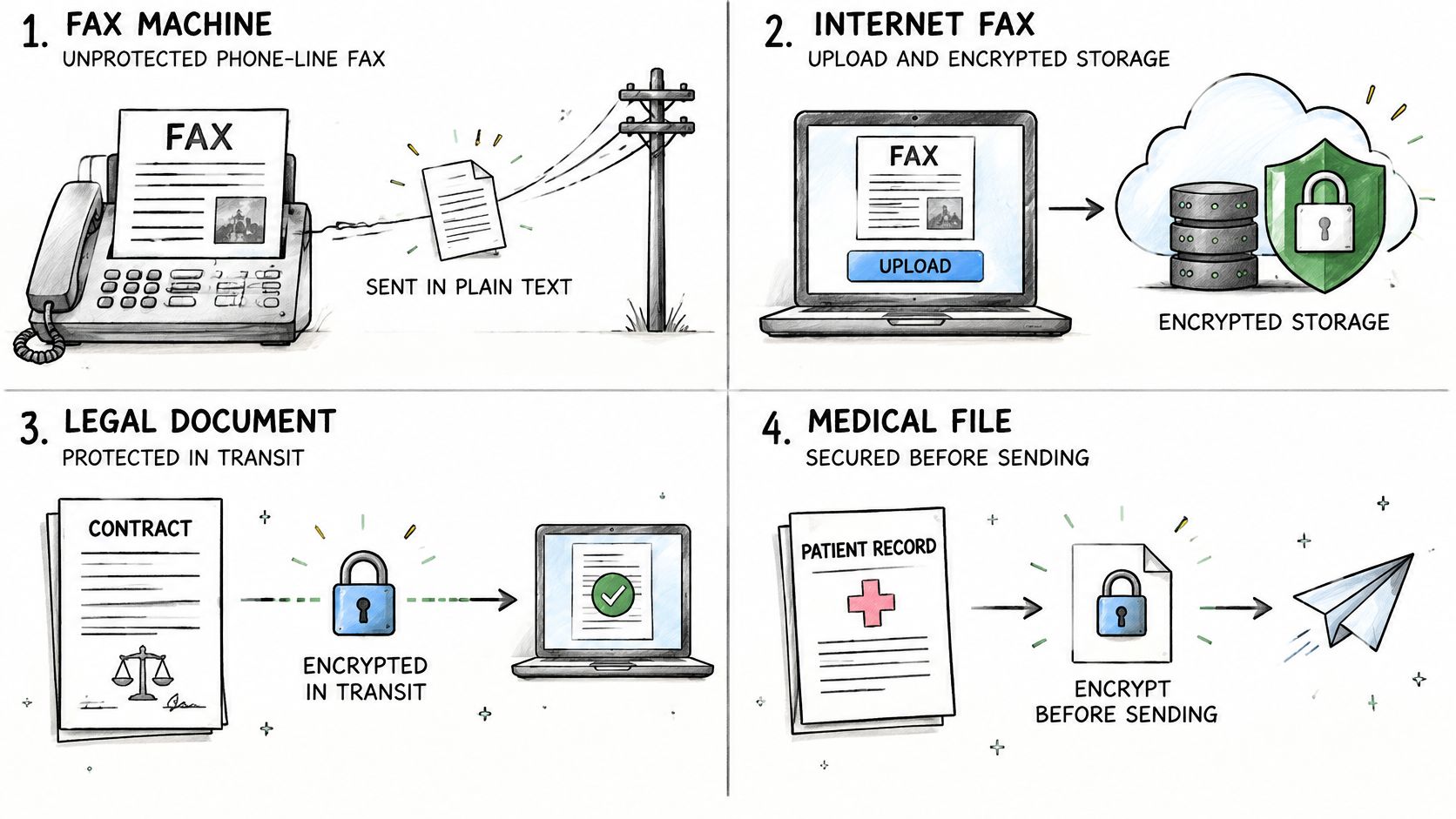
A phone-line fax rides the call in the clear. An internet fax should encrypt the upload and the stored file. You still confirm the number and keep the delivery record.
A contract or court filing needs secrecy and proof of what left your hands. Our note on the best way to send sensitive documents pairs that proof with the file itself. Law firms that outgrow email often look at Bizbe's guide to secure data rooms when many parties must see the same set without loose copies.
A tax return or bank form carries a Social Security number and account details. Encrypt the file so an intercepted copy stays unreadable, then match the recipient before you send.
Patient records and insurance forms move between clinics and payers. Encryption cuts the harm of a lost or intercepted file. You still verify the destination and who can open it.
Payroll, client contracts, and vendor invoices need the same pair of checks. So do jury replies and bank forms you send when no scanner is nearby.
Encryption keeps outsiders out. It doesn't decide who the right recipient is.
If you want a short walkthrough of locking a file before it moves, this overview is a useful start.
What Encryption Cannot Protect
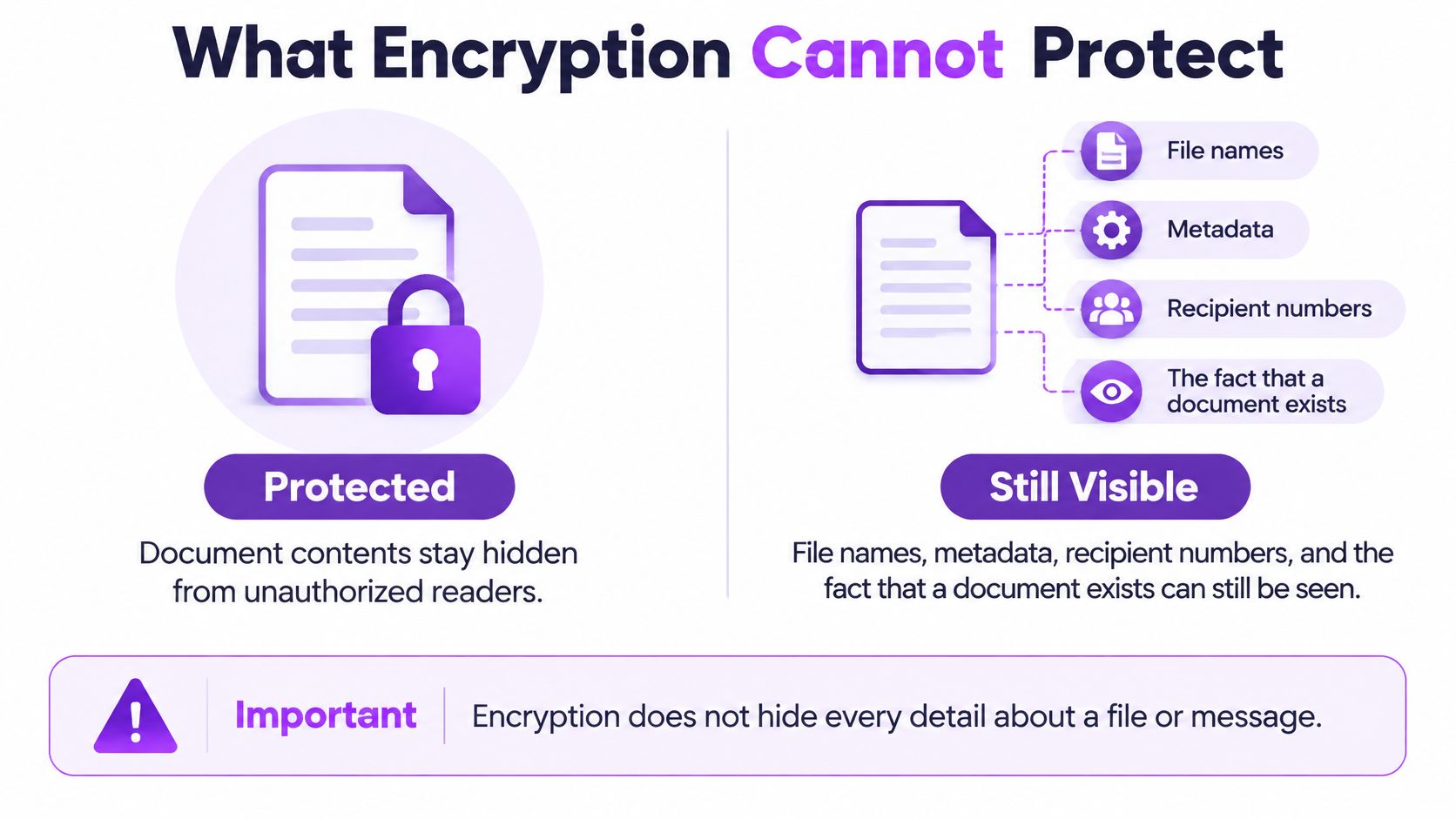
People treat "encrypted" as a full safety verdict. It isn't. Secrecy of the contents is one property. Names, routes, and copies are others.
Even with the pages locked, outsiders may still see the file name, metadata, the recipient number, the fact that a document exists, and access logs. A printout, a screenshot, and an open phone at the other end stay readable. Encryption also doesn't prove the file is authentic. Without an integrity check or a digital signature, someone can alter ciphertext or swap context and you may not notice.
Sophos reported that only 50% of ransomware attacks in 2025 resulted in data encryption, down from 70% in 2024. Theft and extortion without locking the victim's files are growing. Encryption can shrink the value of stolen files when the attacker never gets the keys. It can't stop access before you encrypt, a hijacked account, or an insider who already looks authorized.
Account security, monitoring, access control, and data-loss prevention guard the system around the file. For a wider view, see enterprise data security. Deleting a local copy isn't the same as wiping it, which is why why deleting business files isn't enough matters for old drives. Records that must stay secret for decades also need a plan to rotate and migrate keys, not only a stronger cipher today.
Confirm the Security Checks Before You Send
Run this list on any fax or file service before a sensitive send.
- Channel. Confirm encryption on the wire and on the server. We encrypt documents with 256-bit SSL during transmission and storage.
- Retention. Ask how long copies last. We delete documents from our servers after 24 hours.
- Sharing. Read who else can see the file. We don't share documents with third parties except as required for fax transmission.
- Keys. Ask for a two-key setup. OWASP's key-management guidance describes a data encryption key for the file and a key encryption key that protects that key, stored apart in a vault or hardware module, never in source code or a config file. NIST warns that a lost or damaged key can make the data unrecoverable, so plan generation, rotation, backup, and retirement before you rely on storage encryption.
- Your device. For the most sensitive pages, encrypt the file before upload and delete the local copy after. A practical start is how to password protect a document.
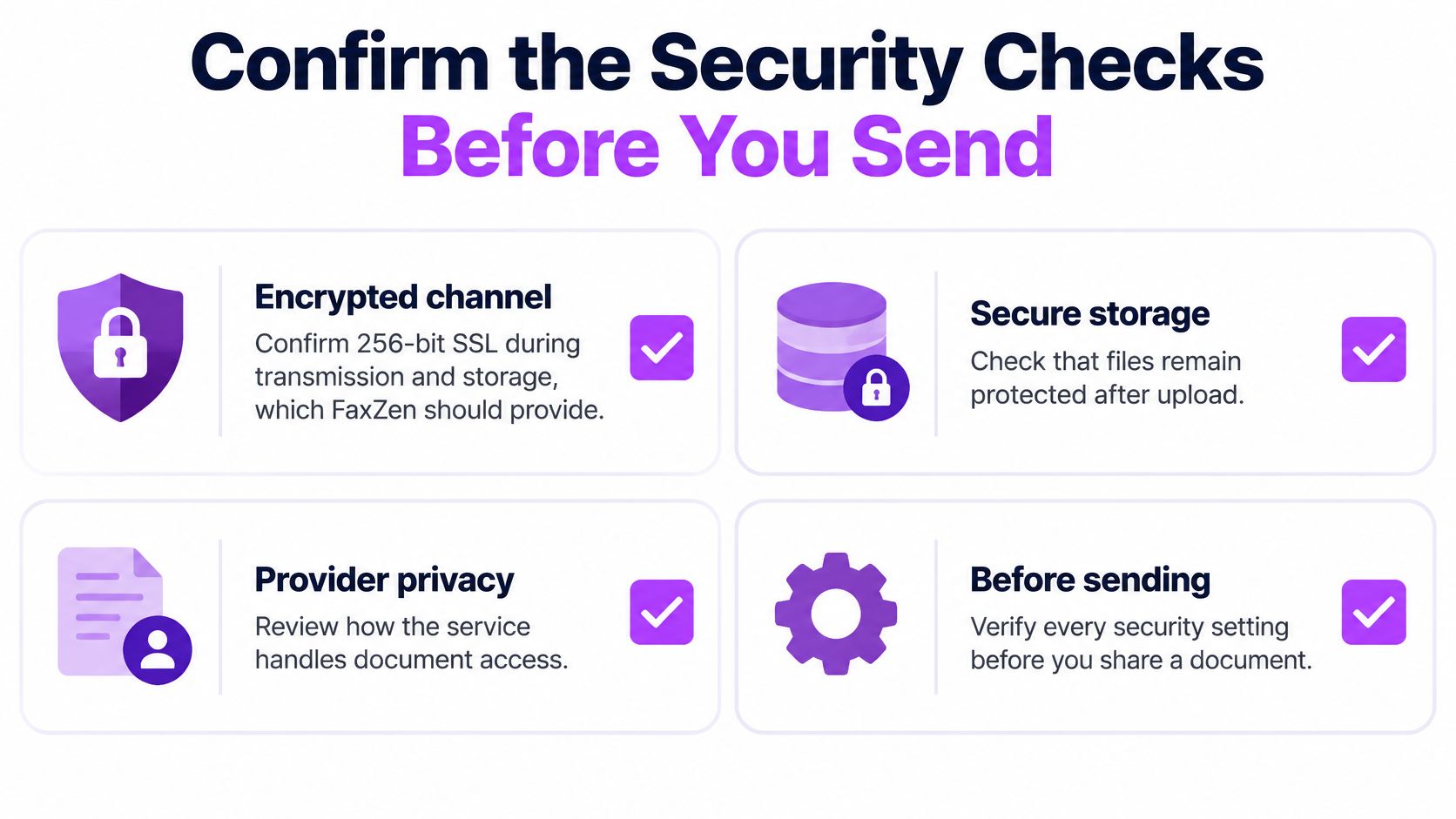
A provider that answers these points clearly is a reasonable choice. One that can't answer them isn't. Skip it.
Common Questions and Related Guides
Is a password-protected PDF encrypted?
Sometimes. Some PDF passwords use real encryption, and strength follows the standard and key size in the save dialog. Open the security settings and read them before you trust the file.
Is an emailed attachment encrypted automatically?
Not necessarily. Protection between mail servers varies, and the attachment itself is protected only if you encrypt the file before you send it.
Should I encrypt a file before uploading it to a fax service?
For highly sensitive pages, yes, as an extra layer. Keep the password apart from the file. Lose that password and the file can be gone for good.
What if a provider can't answer the checklist?
Treat that silence as a reason to look elsewhere. Ask for retention and key-storage statements in writing, then compare them with a service that already publishes both.
Related guides
- Fax from a PC walks through sending from a desktop without a fax machine.
- Fax from a Mac covers the same job in a Mac workflow.
- Fax from an iPhone shows how to send from a phone when you're away from a scanner.
FaxZen lets you upload a PDF or image, enter a fax number, and send without a fax machine, with 256-bit SSL on the file while it moves and while it is stored. Documents are deleted from our servers after 24 hours, and the delivery confirmation includes the original so you can see what went out. When the pages are sensitive, check the list above, then send them with FaxZen.