
How to Fax a Document from My Computer The Modern Way
Table of Contents
Staring at a document you need to fax can feel like a trip back in time. But here's the thing: the need for truly secure document transfer hasn't gone anywhere. While those beige, dusty fax machines are finally fading away, faxing itself has just found a much smarter way to work. The modern answer to how to fax a document from my computer is simple: use an online service. It completely cuts out the need for a dedicated phone line, clunky hardware, and endless stacks of paper.
Ready To Fax?
Start sending faxes online in seconds with FaxZen - No account required
Send Fax Now 🚀Ready to see how easy it is? Send your first fax in minutes with FaxZen.
Why Computer Faxing Is the New Standard
It might surprise you, but faxing is still a critical tool in many professional fields. Think about industries like law, finance, and healthcare—they all rely on it for sending signed contracts, sensitive client information, and urgent legal filings. The reason is simple: a fax provides a direct, verifiable connection that's much harder to intercept than a typical email. But let's be honest, the old way of doing it—a physical machine chained to a phone line—is incredibly inefficient. It's a constant drain of paper, ink, and maintenance costs, not to mention you're stuck in one physical spot. This is where faxing straight from your computer changes everything.
The global fax services market isn't just surviving; it's growing fast. Reports show the market is expanding significantly, driven by a massive shift to digital faxing solutions. This trend means you can send a document from your laptop or desktop without ever printing a single page. The advantages are clear: convenience, cost savings, security, and organization. By making the switch, you get the proven reliability of faxing mixed with the speed and efficiency we expect from modern tech. It transforms an old-school process into a genuinely useful communication tool for today's world. You can learn more about the many benefits of online fax services for your business in our detailed guide.
Sending Faxes Online: The Easiest Method By Far
Forget everything you think you know about faxing—the clunky machines, the paper jams, the weird screeching sound. When you learn how to fax a document from my computer using an online service, the whole process feels as simple as sending an email. There’s no hardware to buy, no phone line to hook up, and no confusing software to install. You can send a critical document from your laptop in minutes without ever leaving your desk.
The concept is brilliantly simple: the service acts as a digital bridge. You give it your document and the destination fax number through a simple website. From there, the service does the heavy lifting, translating your digital file into the language a traditional fax machine understands and sending it over the phone network. Once it's delivered, you get a confirmation receipt sent straight to your email, giving you a clear record that your document arrived safe and sound. The growth of the cloud fax market shows just how fast things are changing as people ditch outdated hardware for instant convenience.
Pro Tip: Always double-check the recipient's fax number before you send it. A single wrong digit is the number one cause of failed faxes. While a service like FaxZen has intelligent retry logic, getting the number right from the start is the key to success.
Modern online fax services are packed with smart features that make the process smoother, like adding a professional cover page automatically. Many also include the power to send a fax directly from your email, a fantastic tool for streamlining your workflow. We've put together a full breakdown of how to fax from email with our complete guide. One of the best parts of online faxing is the flexible pricing, so you only pay for what you actually use.
Exploring Alternative Computer Faxing Options
While a modern online service is almost always the easiest way to send a fax from your computer, it helps to know what the other options are. Most of these alternatives feel a bit like stepping back in time. Believe it or not, Windows has a built-in utility called Windows Fax and Scan. The catch? It’s a relic from a different era. To make it work, you need a physical fax modem installed in your computer and an active telephone landline. It's a setup you’d be hard-pressed to find in most homes or offices today.
Another route is using a multifunction printer (MFP)—those all-in-one devices that print, scan, copy, and sometimes fax. This is certainly a step up from a clunky, standalone fax machine, but it still ties you to a physical location and a landline. It offers zero flexibility if you’re working from home. For anyone who uses a scanner regularly, figuring out how to fax from a scanner using modern tools is a much smoother workflow. This flowchart pretty much sums up the decision for most people.
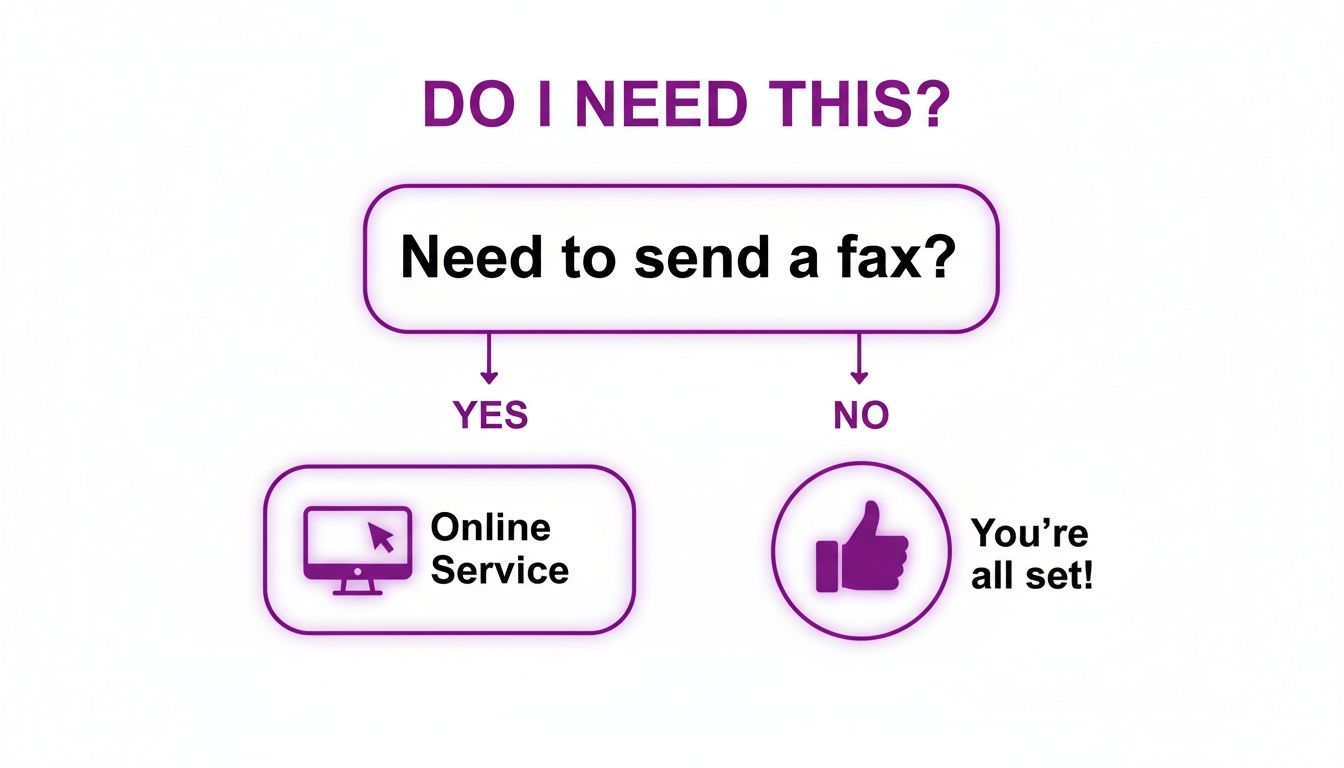
Finally, there’s the email-to-fax method, which is a clever bridge between your email and the fax network. While this sounds great, it almost always requires a subscription to an online fax provider anyway. It’s often just another feature they offer, not a standalone freebie. The reality is that faxing is still deeply embedded in critical industries, which is why organizations are moving to online fax to blend this legacy tech with their modern digital workflows.
| Feature | Online Fax Service (FaxZen) | Windows Fax and Scan | Multifunction Printer |
|---|---|---|---|
| Requirements | Internet connection, web browser | Fax modem, landline | MFP with fax, landline |
| Location Flexibility | Send from anywhere | Tied to the computer's location | Tied to the printer's location |
| Setup Complexity | None. Just upload and send. | High. Requires hardware installation. | Moderate. Requires printer setup. |
| Advanced Features | Delivery confirmation, tracking, scheduling | Basic sending only | Varies by model, usually basic |
Best Practices for Secure and Successful Computer Faxing
Knowing how to fax a document from my computer is one thing, but making sure it arrives securely and is perfectly readable is what really counts. A few key practices can make all the difference, protecting your information and guaranteeing a professional result every single time. It's about turning a simple task into a reliable, secure way to send your most important documents.
The quality of the fax on the other end is a direct reflection of the quality of your original file. Always save or convert your documents to PDF format to lock in formatting and ensure what you see is what the recipient gets. Sending a fax without a cover page is unprofessional. A good cover page introduces your document and gives crucial context. Modern services like FaxZen handle this for you, automatically adding a professional page with key details. This is especially true for critical communications, where clarity is paramount. You can even learn how to accurately translate legal documents to maintain precision across languages.
Security Note: Never send highly sensitive documents like financial records or personal identification through unsecured or public Wi-Fi networks. Always use a trusted, encrypted connection, which is standard when using a reputable online fax service.
When you're sending a document online, its security in transit is everything. The absolute must-have is 256-bit SSL encryption. This is the same level of security your bank uses to protect financial data. Another critical piece is data retention. Any good service will be transparent about how long they store your files. FaxZen, for example, automatically and permanently deletes your documents from its servers after 24 hours.
One of the biggest wins for online faxing is the digital paper trail. After every fax you send, you should get a detailed confirmation receipt delivered to your email. This isn't just a simple "sent" notification; it's your legally valid, auditable proof that your document was delivered successfully. It provides peace of mind and is crucial for your records. And if you ever do hit a snag, our 24/7 support team is always here to help you out.
How to Troubleshoot Common Faxing Problems
Even with the best tech, sometimes a fax just won't go through. The good news is that most of these hiccups are pretty easy to solve. The most classic fax error is the dreaded "busy signal." Modern online services like FaxZen have completely solved this with intelligent retry logic. If the line is busy, the system just waits and tries again automatically at smart intervals. You don't have to do a thing.
Beyond a busy signal, you might get a specific error message. Think of these as clues. Troubleshooting a failed fax is a lot like figuring out why a text message didn't send; you can learn from common issues and quick fixes for digital message delivery failures. Common errors like "No Answer" or "Invalid Number" usually mean you should double-check the recipient's number and try again later. These errors are why having a service with clear tracking is a game-changer. If you're wrestling with older systems, our guide on how to fax and scan on Windows can help with its own unique challenges.
Sometimes, the issue isn't the phone line—it's the file itself. An improperly formatted document can cause a fax to fail. The two biggest culprits here are usually file type and file size. Always convert your document to a PDF before you send it. This locks in the fonts, images, and layout, guaranteeing that what you see on your screen is exactly what prints out on their end. Also, be mindful of huge files packed with high-resolution photos, which can time out. By thinking about these potential snags beforehand, you can dramatically boost your success rate.
Frequently Asked Questions
What is the most common reason a fax fails?
Honestly, it's usually just an incorrect fax number. Always double-check every single digit. The second most common issue is a busy signal, but a good online fax service will handle the redials for you automatically.
Can the recipient's machine cause the fax to fail?
Absolutely. If their machine is off, out of paper or ink, or connected to a noisy phone line, your fax won't make it through. Since these issues are on their end, the only real solution is to wait a while and try again.
Why did my fax look blurry to the recipient?
This almost always comes down to the quality of the original document. If you start with a blurry scan or a low-resolution image, it's only going to look worse after being transmitted. For the best results, always start with a clear, high-contrast document. A PDF is ideal.
Does my internet connection speed affect the fax?
Not really. The file you're uploading for a fax is typically quite small, so even a slower connection can handle it just fine. What's more important is the stability of your connection. As long as it's not dropping out, your document will be uploaded to the fax service's servers without any trouble.
How can I be sure my fax was delivered?
A reputable online fax service will always send you an email confirmation receipt. This receipt is your proof of delivery and will include key details like a timestamp, the number of pages sent, and the final delivery status.
Related Articles
- How to Send a Fax from Email
- What is an Online Fax Number?
- Faxing from Your Phone: A Modern Guide
- Secure Document Transmission: Why Faxing Still Matters
- Choosing the Best Online Fax Service for Your Needs


