
A Modern Guide to Sending a Fax From Email

Table of Contents
Sending a fax from your email sounds a bit like magic, but it’s a surprisingly straightforward process. It basically turns your everyday email client—whether you use Gmail, Outlook, or something else—into a fully capable fax machine. You just send an email to a special address from an online fax service, and they handle the rest, translating your message and attachments into a standard fax for any physical machine on the other end.
Ready To Fax?
Start sending faxes online in seconds with FaxZen - No account required
Send Fax Now 🚀Ready to ditch that clunky fax machine for good? See how FaxZen can bring your workflow into the modern age.
Why Faxing From Email Is a Game Changer
Let's be real—traditional fax machines feel like they belong in a museum. We’ve all dealt with the paper jams, that awful screeching sound, and the nagging uncertainty of whether your document actually made it. For any modern business, those are headaches you just don't have time for. This is where learning how to fax from email completely changes the game. It’s not about ditching an old technology but giving it a much-needed upgrade for how we work today.
Services like FaxZen bridge that gap, letting you communicate with legacy systems without ever leaving your inbox. Think of it like other modern communication shifts; for example, many businesses now rely on sending voicemail to email to keep everything in one convenient place. The biggest win here is getting away from physical hardware. No more dedicated phone lines, no more stocking up on ink and toner, and no more bulky machine eating up valuable office space. Everything is handled digitally. This move is more than just convenient; it’s a massive upgrade for efficiency and security. Documents are sent over encrypted connections, which is a far more private channel than a fax machine sitting out in the open. The benefits of online faxing for businesses are clear, with digital audit trails and instant confirmations offering reliability you just can't get from old hardware.
The shift toward digital faxing isn't just a niche trend; it’s a massive market movement. The global online fax market, the engine behind 'fax from email' services, was already valued at USD 4.18 billion. It’s now rocketing towards USD 12.52 billion by 2031, driven by a powerful growth rate of 13.06%. This explosive growth is proof that businesses worldwide are happily trading their physical machines for sleek, email-based solutions. If you want to dive deeper, you can discover more insights about the online fax market's rapid expansion here.
Sending Your First Fax From Your Inbox
Sending your first fax from email is a game-changer. It takes a process that used to involve a clunky, paper-jam-prone machine and makes it as simple as firing off a quick message from your everyday email client. The whole system works by having an online fax service act as a smart translator. It takes your digital email and its attachments, converts them into a format a traditional fax machine can read, and dials the number for you. The real trick is in how you address the email. The fax service gives you a special email format that’s built around the recipient’s fax number. For instance, if you need to send a document to 1-888-555-1234, you’d simply compose an email to an address like [email protected]. That’s it.
The best part about this whole process is that you already know how to do it. Think of your email's subject line as the bold headline on the fax cover page. This is your chance to make it clear and professional. Something like "Signed Contract Agreement" or "Patient Referral Information" works perfectly. Then, the body of your email becomes the main message on that cover page, where you can add a quick note or provide context. For example, you might use the subject "URGENT: Signed Lease Agreement for Unit 4B" and write a short message in the body: "Please find the signed lease agreement attached. Let me know if you require any further information." This flowchart really drives home how much cleaner the email faxing workflow is compared to the old way of doing things.
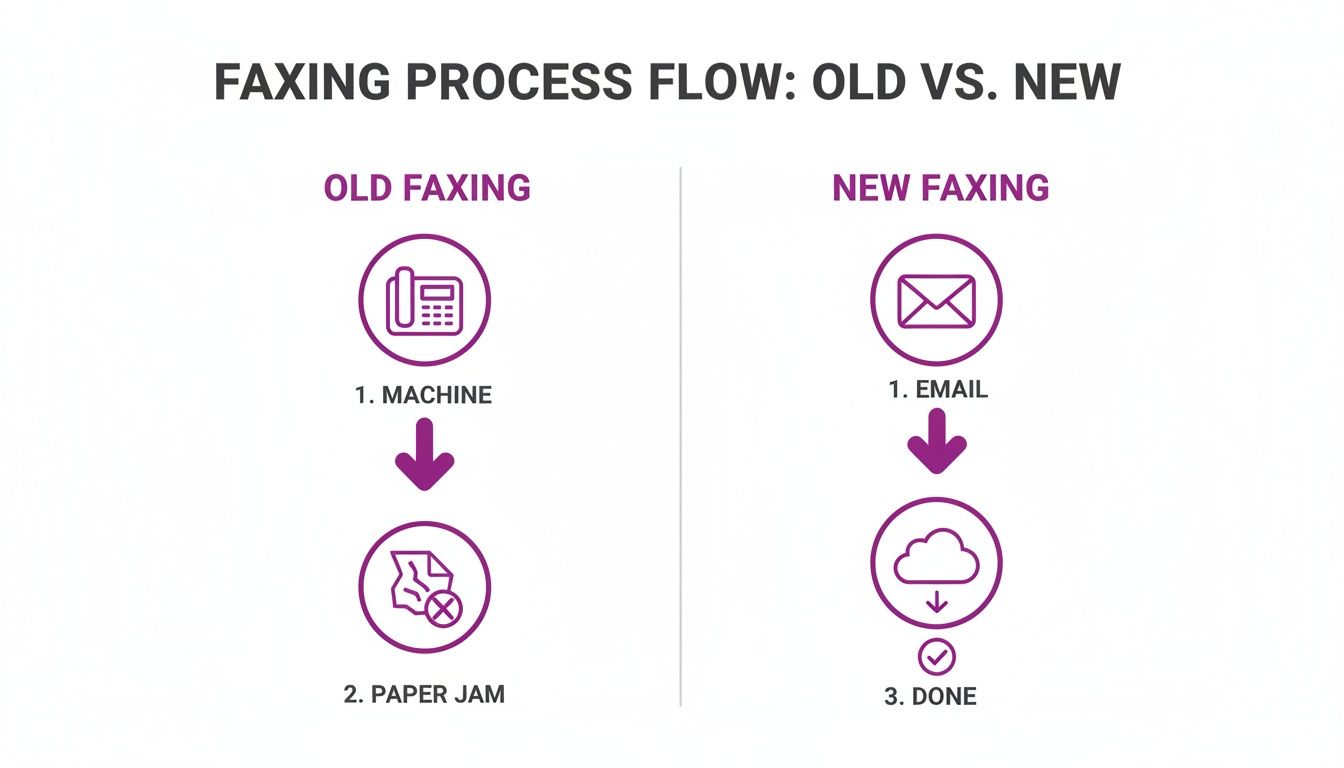
The final piece of the puzzle is attaching the actual document. Most online fax services can handle a bunch of different file types, but sticking with common formats ensures your document looks perfect on the other end. If you're a heavy Gmail user, we have a specific guide on how to send a fax directly from your Gmail account that you might find helpful.
| File Type | Why It's a Good Choice | Common Uses |
|---|---|---|
| PDF (.pdf) | This is the gold standard. A PDF perfectly locks in your fonts, images, and layout, so you know the document will look clean and professional on the other end. | Contracts, legal documents, invoices, official forms. |
| Word (.doc, .docx) | Super convenient for text documents and widely supported. Just be aware that any complex formatting or unusual fonts can sometimes shift around during conversion. | Letters, memos, reports, drafts. |
| Image (.jpg, .png) | Perfect for when you need to send a scan of a signed paper, a photo, or an ID card. Just make sure the image resolution is high enough to be easily readable. | Signed forms, driver's licenses, visual evidence. |
How Different Industries Use Email To Fax
The ability to fax from email isn't just a neat trick; it's a practical, everyday solution that keeps entire industries running smoothly and securely. In the legal field, timing and proof of delivery are non-negotiable. A law firm can instantly send a time-sensitive contract to a client's office fax machine, receiving an immediate email confirmation with a timestamp. This creates a legally-binding, auditable trail that is crucial for compliance. To really tighten up these workflows, it pays to understand contract management best practices.
For small businesses and freelancers, every dollar and minute counts. Instead of buying a clunky machine for a single form, a graphic designer can simply snap a picture of their signed W-9, attach it to an email, and send it off. This simple tool allows small operators to work seamlessly with large corporations without taking on unnecessary overhead. The same convenience applies to individuals managing personal affairs, like sending a signed authorization form to a bank. Instead of hunting down a print shop, you can handle it right from your kitchen table.
Callout: The core benefit for small businesses is agility. Email-to-fax lets them operate with the same capabilities as a large corporation, handling administrative tasks like sending invoices or tax documents without the associated costs or hardware.
Solving Common Email To Fax Problems
While the point is to make faxing seamless, a tiny mistake—a mistyped number or the wrong file format—can stop a transmission in its tracks. The good news is that most of these problems are incredibly easy to solve. Online fax services provide clear, direct feedback right in your inbox. A failure notification email is your first clue, and it almost always tells you exactly what went wrong.
The most frequent reason for failure is a busy signal. A service with a smart-retry feature is a lifesaver, as it will automatically try sending it again for you. Another classic mistake is a badly formatted fax number. Always double-check that you’ve included the right country and area codes without dashes or spaces. Since you're sending potentially sensitive info, it's always smart to follow general email security best practices. If you encounter issues, running through a quick checklist can often solve the problem. For a deeper dive on this, you can read our complete guide asking can you email to a fax number.
| Problem | Likely Cause | Solution |
|---|---|---|
| Fax Failed | Busy signal or incorrect number | Verify the number and resend; let smart-retry handle busy signals. |
| No Confirmation | Email filter or sending error | Check your spam folder; confirm your sending email is authorized. |
| Garbled Output | Unsupported file type or poor scan | Convert document to PDF; ensure original scan is clear. |
| File Too Large | Service size limit exceeded | Compress the file or split it into multiple smaller faxes. |
FAQ Section
Is it secure to send a fax from my email?
Yes, it’s often far more secure than a traditional fax machine. Services like FaxZen use 256-bit SSL encryption for transmission, the same level your bank uses. Unlike a document sitting in a public tray, your information is protected from the moment you hit send.
How do I know if my fax was delivered successfully?
You will receive a detailed delivery confirmation right in your inbox. This email acts as a digital receipt, typically including the exact time of delivery, the recipient's number, the page count, and sometimes a thumbnail of the sent document.
Can I receive faxes in my email inbox too?
Yes, but this feature usually requires a subscription plan that provides you with a dedicated virtual fax number. When someone faxes that number, the service converts the document to a PDF and emails it to you.
What happens if the receiving fax machine is busy?
Good online fax services are built for this. They include a smart-retry feature. If the line is busy, the service will automatically try resending the fax a few more times until it successfully connects.
How do I format the recipient's fax number in the email?
You'll typically type the fax number (with country and area code) directly into the "To" field, followed by the "@" symbol and the fax service's domain. For example: [email protected]. Your service provider will give you the exact format to use.


