Fax to Multiple Recipients Without a Blind Send
Table of Contents
You have one signed letter and four fax numbers. Two belong to branch offices you call every week, one is a client's machine two states away, and one came off a website you half trust. It's 11:20, and three of those offices close for lunch at noon.
Ready To Fax?
Start sending faxes online in seconds with FaxZen - No account required
Send Fax Now 🚀Send it as four separate jobs through FaxZen and each one runs as its own transmission, so you get a result for every number instead of one cheerful "sent" that covers nobody.
Single Send Versus a List of Fax Numbers
A fax isn't one upload that fans out to a crowd. The international T.30 procedure carries a document as pages and partial pages, split into frames and negotiated between two machines, as the ITU-T standard sets out. Every number on your list gets its own call setup, its own handshake, its own page run and its own ending. The fourth office can be busy while the first three finished cleanly.
| Method | Best when | Proof you should demand | Main risk |
|---|---|---|---|
| One number at a time | A single recipient or any sensitive document | One completion record for that number | Slow if you find more destinations later |
| Repeat the same file | About 2 to 10 numbers you already use | A separate result for every send | A mistyped digit or a reused redial |
| Imported list or broadcast | Operational notices to many known offices | Per-number status, not one batch flag | One bad number, or one ad treated as permission for the whole list |
Pick the row before you touch a file. Unfamiliar numbers and confidential pages stay in row one, and the whole list never sits on a shared cover sheet.
This is still a live choice, not nostalgia. A 2017 worldwide survey of 200 large companies found 82% reported employees sent at least as many faxes that year as in 2016, or more, The Conversation reported. Start by verifying a fax number against a record you trust.
Consent Privacy and Per Recipient Cost
A manager wants to staple a 20% discount banner onto the renewal notice going to forty clients. That banner changes what the page legally is. Sending an unsolicited advertisement to a business or residential fax number is prohibited under the Telephone Consumer Protection Act, the FCC explains, and permission normally has to come from each recipient, with a narrow exception for an existing business relationship.
Permission from one client doesn't stretch across a purchased list. Every advertising fax carries an opt-out notice with contact details, and those requests must be honored in no more than 30 days, per the same FCC guidance. Transactional pages such as purchase confirmations, and informational notices such as an industry newsletter, fall outside that rule. Classify the document before you queue anything.
Classify before you dial: a page promoting goods or services needs permission on file for every number, however routine the rest of the document looks.
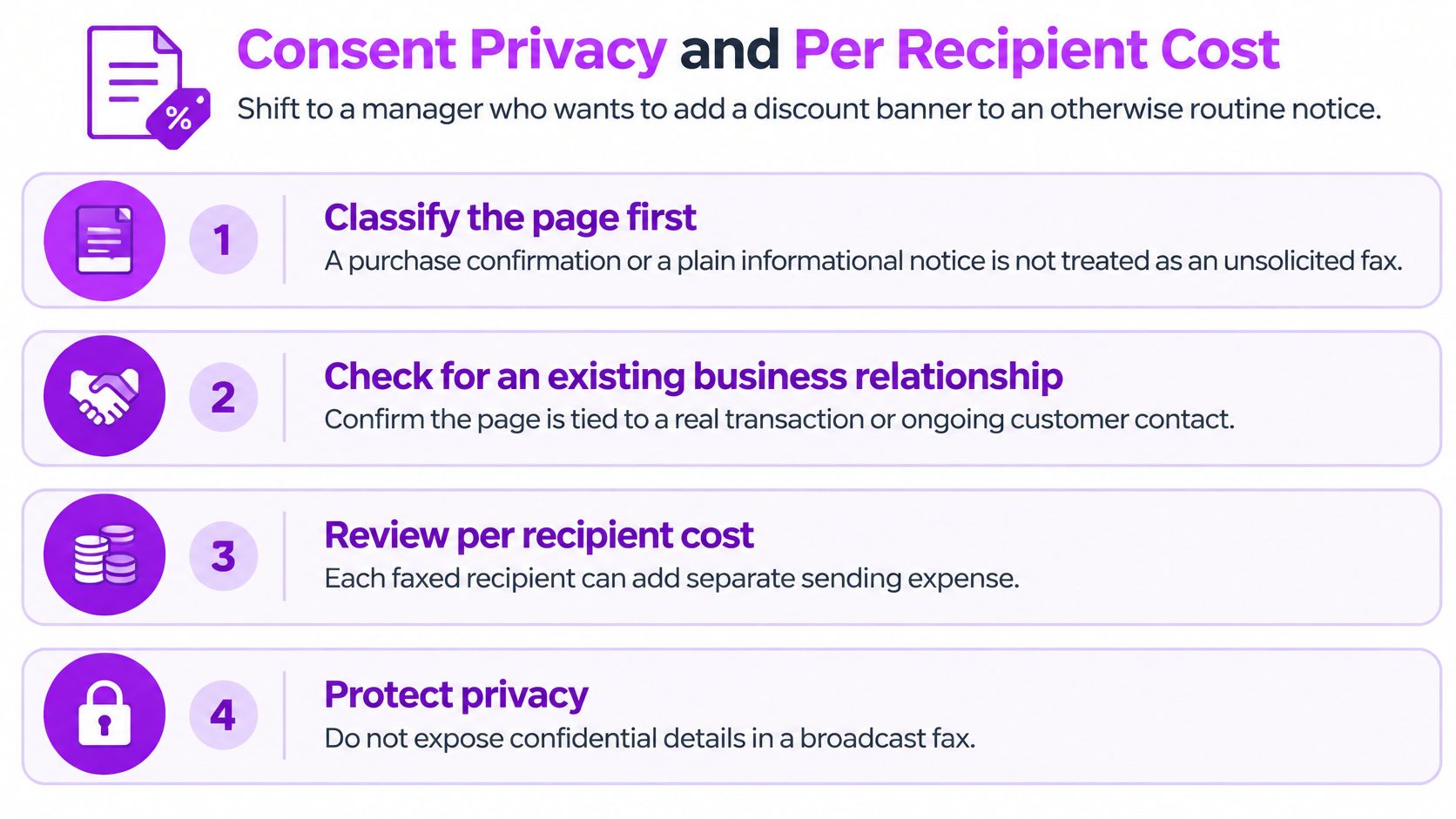
Private pages have their own test. Confirm unfamiliar numbers first, print only the intended recipient's name on the cover, and if pages land at the wrong office ask that office to destroy them rather than forward them. Sending a confidential file from your desktop is walked through in this guide to secure fax from a computer.
Cost follows the same logic. Each number is a separate transmission, so ten offices is roughly ten sends. The cheapest move available to you is deleting numbers you can't justify.
Cover Pages Lists and Recipient Time Zones
A benefits administrator sending the same packet to four insurers needs four recipient-specific cover pages. Each should name the intended recipient, give your callback number and the date, and state the page count so the office can check for missing pages. Keep other recipients' names off the cover. A fax machine is a shared endpoint, not a private inbox. See this guide to creating a fax cover page for a one-page layout.
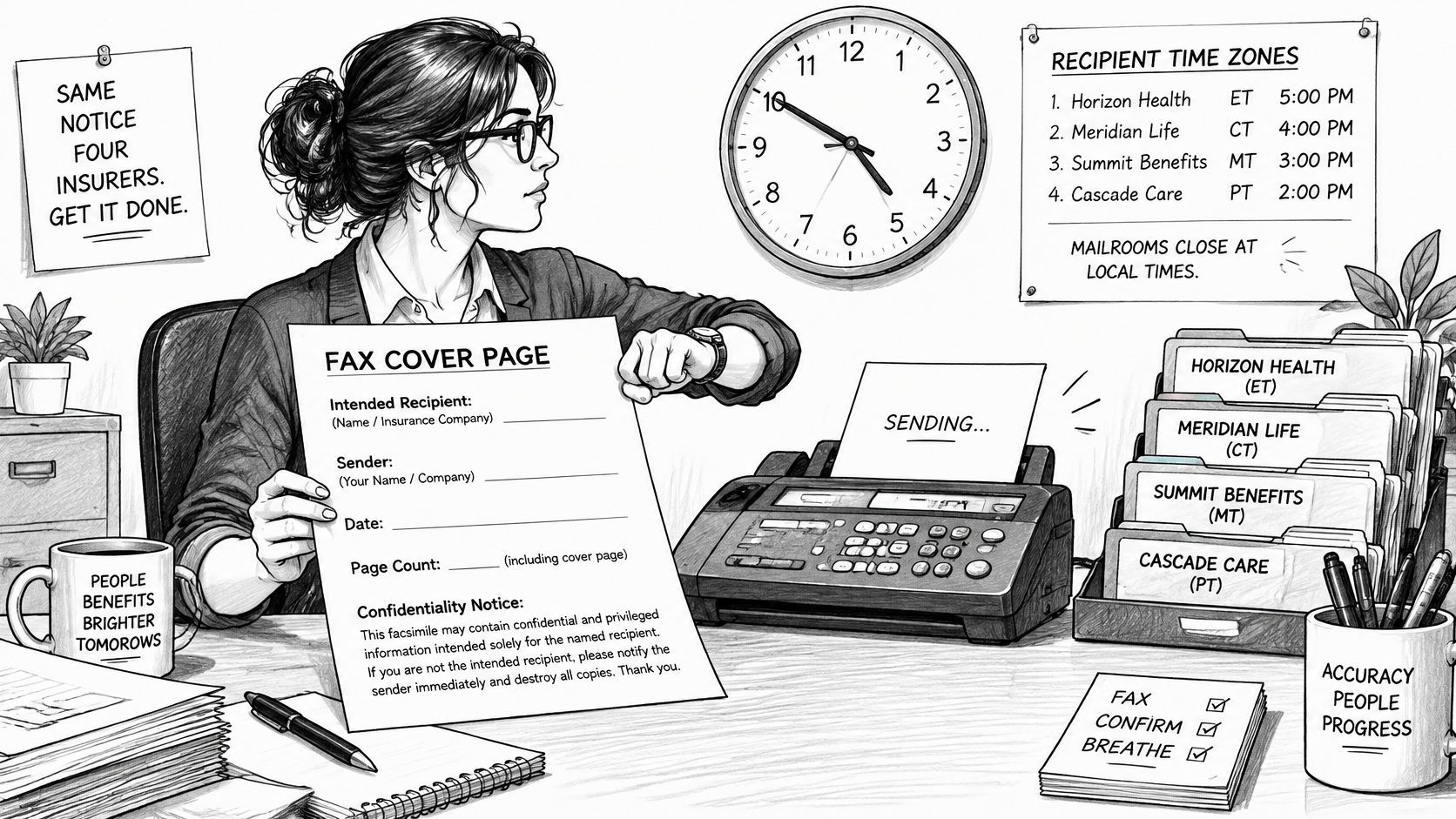
If you keep recipient details in a spreadsheet, clean your own copy before sending: remove blank rows and duplicates, then check each fax number against a trusted record. Treat every number as a separate transmission, with its own cover page and delivery result.
Time zones matter when a receiving office needs to act on the pages that day. Schedule for the recipient's local business hours, not yours.
| Recipient zone | Scheduling note |
|---|---|
| Los Angeles | 9:00 a.m. New York time is 6:00 a.m. there; schedule later |
| London | 9:00 a.m. New York time is 2:00 p.m. there; within business hours |
| Tokyo | 9:00 a.m. New York time is 11:00 p.m. there; schedule for local morning |
FaxZen can schedule faxes up to 30 days ahead, detect the recipient's time zone, and suggest an optimal delivery time. That helps with timing, but a scheduled send is not proof that every office received the pages. Check each transmission's status separately.
Office-hours rule: Aim for a time when the receiving office is open, then check the result for each recipient. A successful call to one office says nothing about the other numbers.
How to Fax the Same Document to Each Number
Run a contract packet through the same six steps, every time.
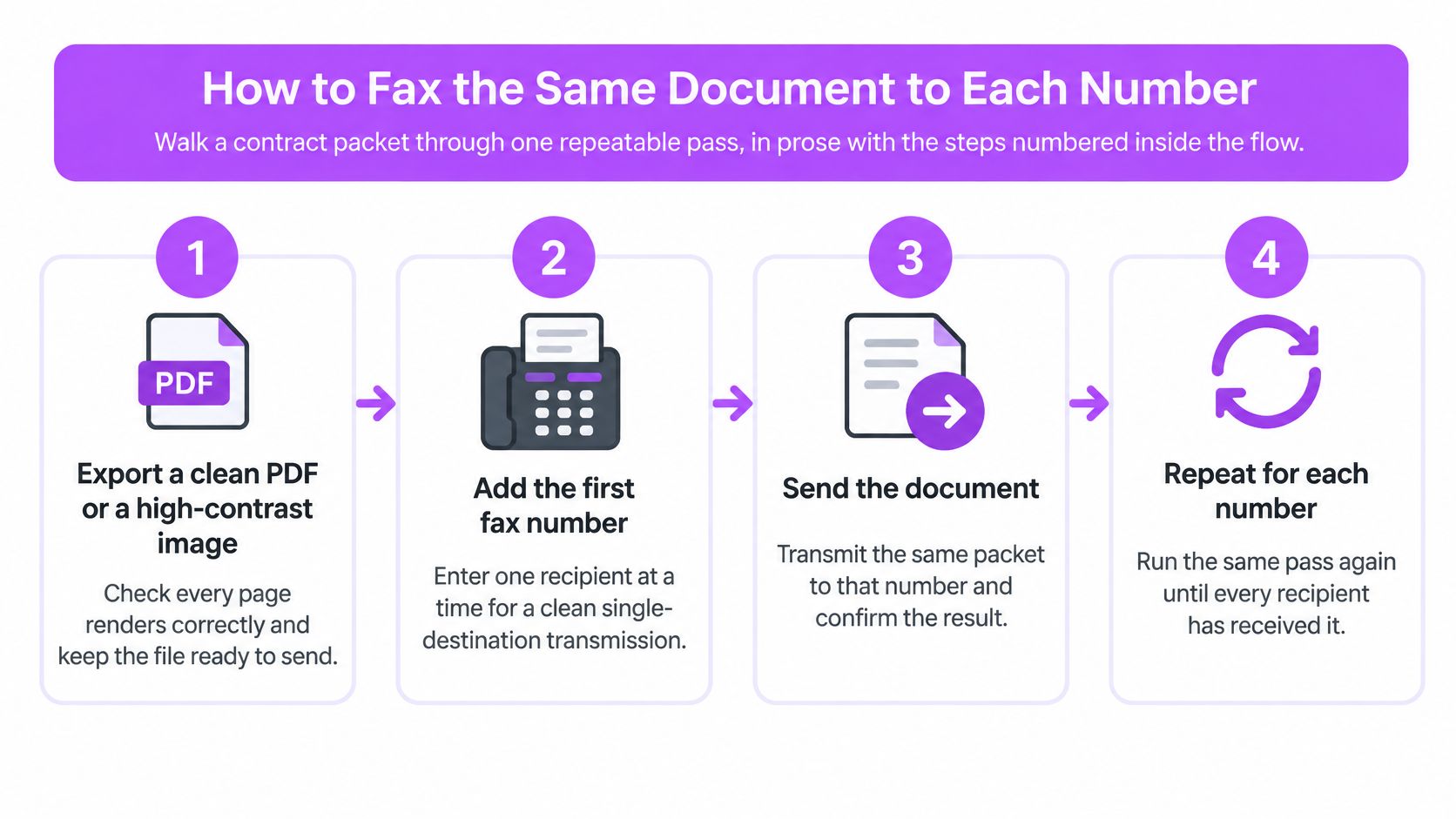
1. Export a clean file. Save a PDF or a high-contrast scan, open it, and confirm every page renders. Keep the packet modest in size so a heavy file doesn't stall the later numbers.
2. Normalize the number. Add the country code for any destination outside your own plan, then match it to a contact record rather than yesterday's redial. Accuracy is your responsibility, not the platform's.
3. Build a cover for one person. Their name, your callback, a one-line purpose, and no roster of the other recipients.
4. Upload with a single number. Add your sender name and email for your own records. The recipient won't see that email unless you put it on the cover.
5. Pay and release that job. Then queue the next number, so a failure on one line can't freeze the rest.
6. Save the receipt for that number before you start the next office.
The same browser flow works from a computer, tablet or phone, at any hour, with no machine on your desk. If you'll be running lists like this weekly, compare electronic fax services for business on how they report per-number results.
Here's the full pass end to end, including the payment step.
By the last step you should be able to name which file version went to which number.
Delivery Results, Retries and Open Questions
Two minutes after you release a batch, the screen splits three ways. Chicago completed, Tulsa is still busy, and one number came back with a protocol failure. A single "sent" badge can't describe that.
Completed means that machine accepted the pages at a recorded time. It doesn't mean a person read them, and it says nothing about the ninth office still dialing. The gap is felt by the people waiting: 88% of practitioners surveyed said fax-related delays negatively affect patient care, with tracking errors and legibility among the leading complaints, Medical Economics reported.
| Result | What it means | Next action |
|---|---|---|
| Completed | That machine accepted the pages at a recorded time | Save the confirmation; do not resend |
| Busy | The line was in use | Retry only that number after a longer delay |
| No answer | Nothing picked up, often outside office hours | Reschedule for the recipient's business day |
| Protocol failure | The machines couldn't finish the page session | Retry once after checking file size and contrast |
| Rejected | The number or the receiving end refused the job | Verify the number out of band; stop automatic redials |
Reading that table is a skill in itself, and this guide to a fax transmission report walks through each entry.
Some failures aren't yours to fix. Transmission delays caused by the receiving machine sit outside the send, while a break on our side is refunded automatically. Live status updates and an email confirmation arrive as each fax lands, and urgent delivery problems get an answer within about an hour.
Two questions still come up. Can an overseas number ride in a domestic batch? Yes, if you select its country code, but a US result tells you nothing about a Tokyo machine. And how long do you keep records? Keep every per-number confirmation, timestamp and sent file until the matter closes, because the later question is always which version reached which office.
If you can name each recipient, hold a cover for each one, and the advertisement test passed, send separately and watch each result. If any of that is fuzzy, stop and fix the list first.
Frequently Asked Questions
Does a broadcast fax count as one send? No. Each destination is a separate call with its own result, which is why billing and confirmation both land per recipient.
Can several fax numbers share one cover sheet? Don't. A cover listing other recipients exposes your client list to every office on the run. One name per page.
How do I retry only the failed numbers? Read the per-number results, then re-queue just the busy and protocol-failure entries. Never blanket-resend the whole list.
Related Articles
- How to verify a fax number before it goes on a list covers matching a number to a trusted record.
- Reading a fax transmission report line by line explains what each status entry means.
- Choosing electronic fax services for business compares how providers report per-recipient results.
Sending to a list gets simpler when every number keeps its own record. FaxZen sends each recipient as a separate transmission, with real-time status updates and an email confirmation the moment that fax lands, and branded cover pages so each office sees only its own name. Upload the file, enter one number, and repeat until your list is done at FaxZen.