
Can You Fax From a Computer? A Complete Guide to Modern Faxing

Table of Contents
Yes, you can absolutely fax from a computer, and it's much simpler than you might think. The era of bulky, paper-jamming fax machines is over. Thanks to modern technology, sending a fax is now a straightforward digital task you can complete from your desktop or laptop, no matter where you are. All you need is an internet connection to transform your computer into a powerful faxing tool.
Ready To Fax?
Start sending faxes online in seconds with FaxZen - No account required
Send Fax Now 🚀Ready to skip the hardware and send a fax in minutes? Discover the modern way to fax with FaxZen.
Why Fax From a Computer? The Digital Advantage
Sending a fax directly from your computer has become the standard for both individuals and businesses. This guide will walk you through how it works, comparing the different methods available. We'll focus primarily on online fax services, which have revolutionized the process by eliminating the need for any specialized hardware or a dedicated phone line. You'll see how your computer can manage the entire workflow, from composing a document to its final transmission, making the task as intuitive as sending an email. We'll also touch on older methods so you can understand the full landscape. By the end, you'll have all the information needed to choose the best faxing method for your needs, whether you're sending a one-off document or managing high-volume business communications.
From Analog Noise to Digital Clarity
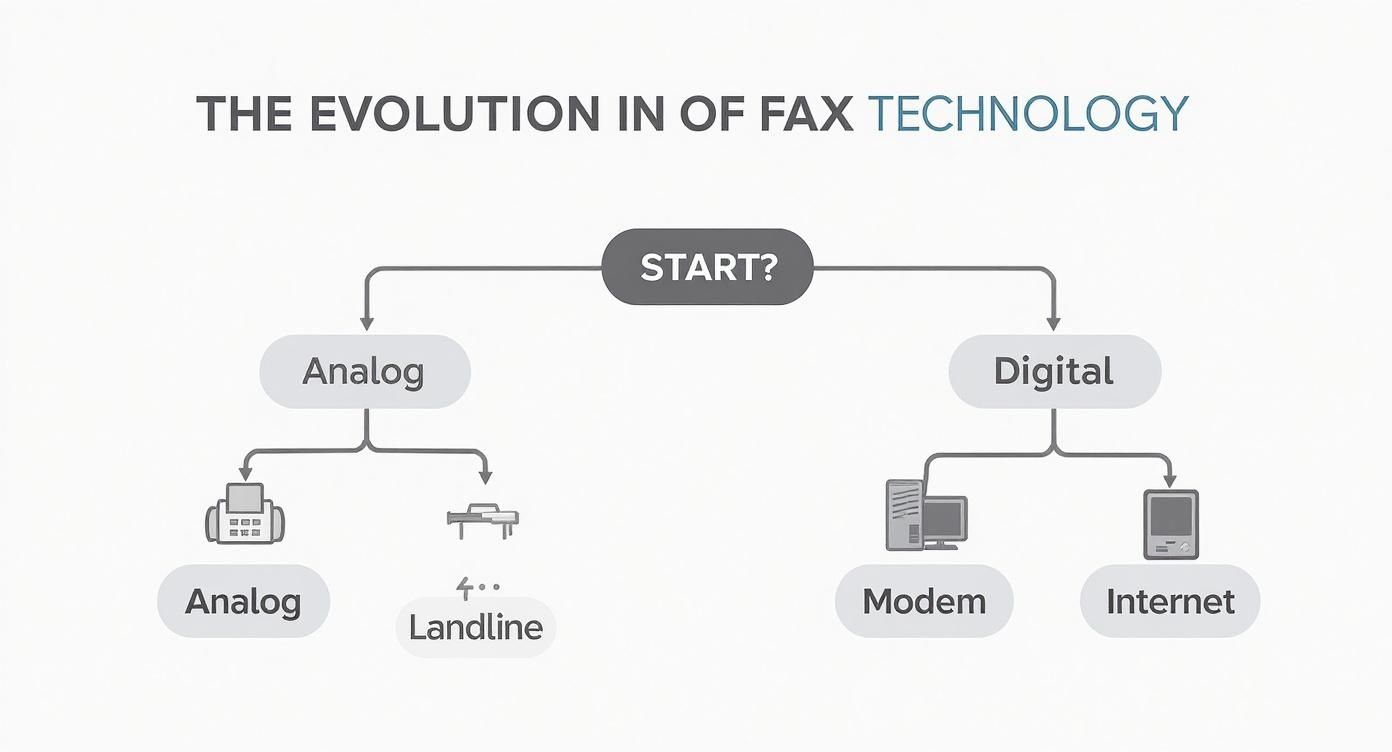
To truly appreciate how easy it is to fax from your computer today, it helps to understand the journey from analog to digital. For decades, faxing was a clunky process tied to the analog telephone network. Anyone who remembers dealing with busy signals, garbled transmissions, or the screech of a dial-up modem has a good idea of the frustrations that plagued traditional fax machines. The first attempts to bring faxing to computers were a step forward but remained tethered to hardware. These early systems required fax modems, which connected a PC to a physical phone line, limiting their flexibility.
The real evolution started in the mid-1980s. A significant milestone was the 1985 introduction of the GammaFax board, one of the first pieces of hardware that allowed a PC to communicate directly with the global fax network. This innovation paved the way for the internet-based services we use today, which offer a level of convenience and reliability that was once unimaginable. A similar digital transformation can be seen in other traditional industries, such as the rise of remote online notarization, which moved a paper-based process entirely online.
How to Fax From a Computer: Your Main Options
So, you need to send a fax from your computer but aren't sure where to begin. The good news is that you have a few different methods to choose from, and most don't involve a traditional fax machine. Today, there are three primary paths you can take. The most common and convenient route is using an online fax service. This method is entirely web-based, allowing you to send and receive faxes through an online portal or even your email, with no extra hardware or phone line required.
Alternatively, you can opt for more traditional, hardware-based solutions. One option is to use your computer's built-in software, like Windows Fax and Scan. However, this requires you to purchase and install a fax modem and connect it to an active landline. Your third choice is a multifunction printer with built-in faxing capabilities, but like the modem, it must be physically connected to a phone jack to function.
This table offers a quick comparison to help you weigh your options.
| Method | Hardware Required | Phone Line Needed? | Best For |
|---|---|---|---|
| Online Fax Service | None | No | Quick, convenient faxing for everyone |
| Windows Fax & Scan | Fax Modem | Yes | Tech-savvy users with a landline |
| Multifunction Printer | All-in-one printer | Yes | Offices with existing hardware |
As the table shows, the need for a phone line is the main differentiator. Internet-based services are the only option that completely eliminates this requirement, giving you the freedom to fax from anywhere. For a detailed breakdown of different providers, this online fax service comparison guide is a great resource.
Why Online Fax Services Are the Superior Choice
When asking if you can fax from a computer, the definitive answer is yes—and online fax services are overwhelmingly the best way to do it. They completely bypass the need for a dedicated phone line, paper, ink, and a physical machine. Instead, you can send and receive faxes from any device with an internet connection, including your computer, tablet, or smartphone.
The benefits go far beyond cost savings on supplies. Modern fax platforms offer a significant upgrade in functionality, with features like instant email confirmations, delivery reports, and searchable digital archives of all your sent and received faxes. Reliability is also vastly improved. Traditional fax failure rates could be as high as 20% due to noisy phone lines. Online services have drastically reduced this figure, ensuring your important documents are delivered successfully. Most importantly, security is a core feature. Understanding the crucial role of encryption in information security is essential, and reputable services encrypt your documents to protect sensitive information during transit. For a complete overview of the advantages, explore these 10 benefits of online fax services for business.
Pro Tip: With an online fax service, your faxes are stored securely in the cloud. This means you have a digital paper trail that's easy to search, organize, and access from anywhere, eliminating the risk of losing important physical documents.
Sending a Fax From Your Computer: A 5-Step Guide
Ready to see just how easy it is? Let's walk through the process of sending a fax from your computer using an online service like FaxZen. The entire experience is designed to be as intuitive as sending an email and typically takes only a few minutes.
Here are five simple steps to send your first fax:
- Sign Up & Log In: Create an account with your chosen online fax provider. This usually only takes a minute.
- Compose a New Fax: Once logged in, find the "Send Fax" or "New Fax" button to open the sending interface.
- Enter Recipient Details: Type the destination fax number into the recipient field, including the country and area code.
- Attach Your Documents: Upload the file you want to send (such as a PDF, DOCX, or JPG) and add a cover sheet if needed.
- Send and Confirm: Click the send button. The service will handle the transmission and send you an email confirmation once the fax is successfully delivered.
That’s all there is to it. This process allows you to send documents securely and efficiently. If you prefer working from your inbox, you can also learn how to send a fax via email with a similarly easy setup.
Frequently Asked Questions (FAQ)
Here are answers to some of the most common questions people have about faxing from a computer.
Do I need a phone line to fax from my computer?
No, not if you use an online fax service. These services use the internet to send your document to the recipient's fax machine, completely bypassing the need for a physical phone line on your end. You only need a landline if you are using older hardware-based methods like a fax modem or a multifunction printer.
Can I receive faxes on my computer?
Yes. With an online fax service, you get a dedicated fax number. When someone sends a fax to that number, the service converts it into a digital file (usually a PDF) and delivers it directly to your email inbox. This makes receiving, storing, and organizing faxes as simple as managing your emails.
What types of files can I send as a fax?
Most online fax services are highly flexible and support a wide range of common file formats. You can typically send:
- PDF documents
- Microsoft Word files (.doc, .docx)
- Image files (JPG, PNG, TIFF)
- Spreadsheets (.xls, .xlsx)
- Text files (.txt)
The service automatically converts your uploaded file into the standard fax format that any receiving machine can interpret and print.
Is faxing from a computer secure?
Yes, when you use a reputable online fax service. These platforms use encryption (such as TLS) to protect your data during transmission, making it a secure way to send sensitive documents. This is often more secure than a traditional fax machine, where documents can sit in a public tray for anyone to see.
Can I send a fax to an international number?
Absolutely. Online fax services make it easy to send faxes internationally. You simply enter the full fax number, including the country code, just as you would for an international phone call. Pricing for international faxes varies by provider and destination, so it's always a good idea to check their rates first. For instance, you can easily email to a fax number located anywhere in the world.


