How to Fax Via Email: A Modern Guide for Sending Documents
Table of Contents
Believe it or not, you don't need a clunky fax machine to send a fax anymore. Using an online fax service, you can send any document directly from your email inbox to a physical fax machine anywhere in the world. It’s the perfect blend of modern convenience and old-school reliability.
Ready To Fax?
Start sending faxes online in seconds with FaxZen - No account required
Send Fax Now 🚀Ready to send a fax right now? Skip the machine and send your document securely with FaxZen in under two minutes.
The Modern Way to Fax: Bridging Email and Traditional Faxing
The idea of faxing from an email account might sound a little strange at first, but it’s a massive leap forward for anyone who still needs to send faxes. For decades, the fax machine was a fixture in every office—that noisy, bulky box that was essential for sending signed contracts, medical records, and legal documents. It was dependable, sure, but it was also chained to a physical location and a dedicated phone line, which just doesn't work for today's flexible work styles.
Today's professionals need tools that can keep up. Email-to-fax technology perfectly bridges this gap, turning the email client you already know and use every day into a powerful faxing tool. This approach completely eliminates the need for expensive hardware, dedicated phone lines, and the endless costs of ink and paper. Moving to digital faxing is more than just a convenience; it fundamentally improves how efficiently you can work. You can send a critical document from your laptop at a coffee shop or from your phone while traveling—without ever touching a physical machine. This is huge for remote and hybrid teams that need to keep business moving, no matter where they are.
The magic of email-to-fax is its ability to translate a digital action (hitting 'send' on an email) into an analog transmission that old-school fax machines can understand and accept. The online fax service acts as a secure middleman, taking your email attachments, converting them into a fax-friendly format, and dialing the recipient's fax number. Moments later, you get a confirmation receipt delivered straight back to your inbox, giving you a clear and simple audit trail. To see how other businesses are making this shift, check out our guide on cloud fax solutions.
Pro Tip: By integrating faxing into your email workflow, you not only save time but also create a digital paper trail for every document you send, improving record-keeping and accountability.
How Email to Fax Technology Actually Works
Sending a fax from your email feels a bit like magic, but it’s actually a clever and straightforward process. It all hinges on an online fax service that acts as a digital middleman, translating your modern email into a format that old-school fax machines can understand. This technology takes your digital files, converts them into a specific black-and-white image, and then dials up a traditional fax machine to deliver them over a phone line.
The whole thing starts the moment you open your email client. Instead of typing in a regular email address, you use a special format that combines the recipient's what is a fax number with the fax service's domain. It usually looks something like this: [email protected]. When you hit "Send," your email is routed directly to the fax service's servers, not another inbox. Once the service gets your email, an automated system kicks into gear. First, it pulls apart the different pieces of your email. The text in your subject line typically becomes the "Subject" or "RE:" line on a professional fax cover page. The body of your email fills out the "Notes" section of that same cover page.
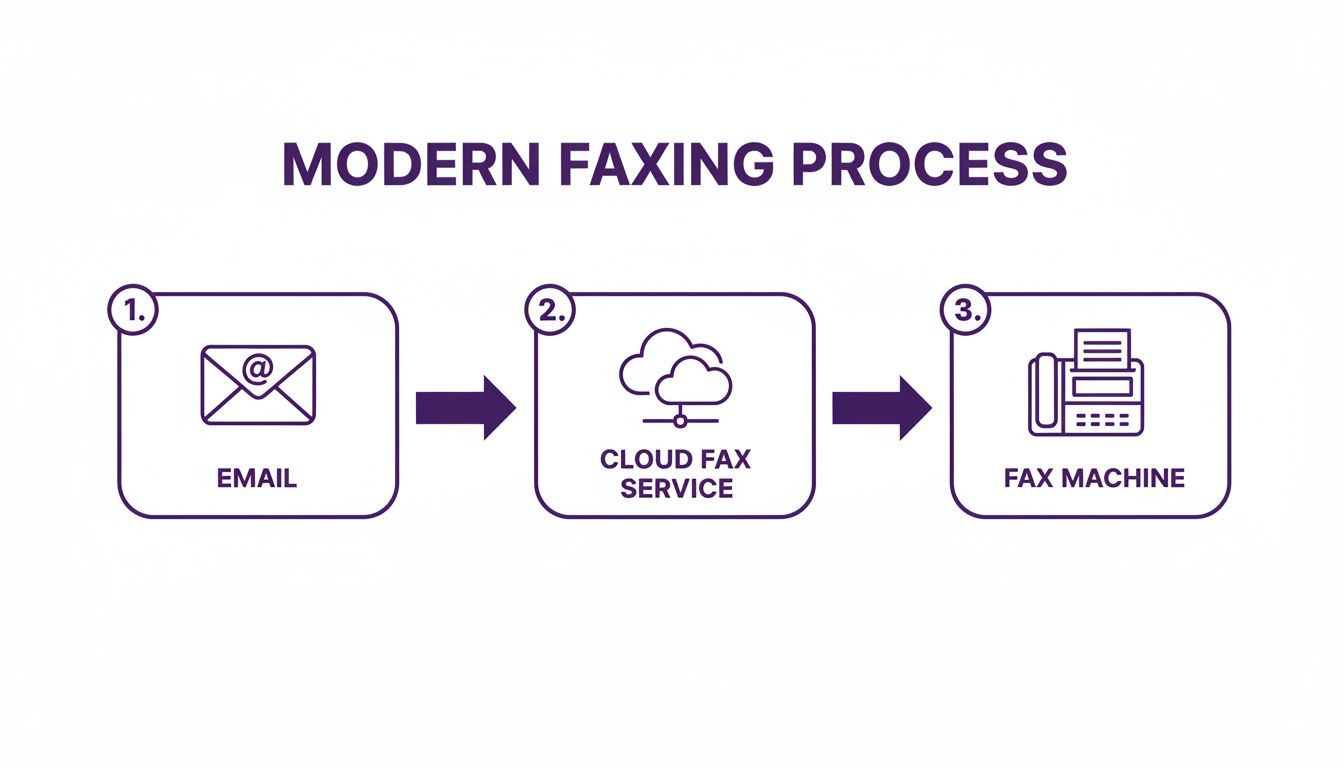
The most critical step is converting your attachments. Whether you've attached a PDF, a Word document, or a JPG, the service converts it into a very specific, fax-friendly image format. Fax machines can't read complex files; they only understand these simple, high-contrast image signals. With your cover page and documents properly converted, the system then dials the recipient's fax number using a standard telephone network. After the fax is sent—or if it fails after a few tries—the service immediately sends a detailed confirmation report back to your email. This confirmation is your legal proof of transmission.
| Email Field | Required Format | Example/Notes |
|---|---|---|
| To Field | [FaxNumber]@[FaxServiceDomain] |
[email protected]. Always include country and area codes. |
| Subject Field | Plain text | This becomes the subject line on the fax cover page. Keep it concise. |
| Body | Plain text | This populates the notes or memo section of the cover page. |
| Attachment | PDF, DOCX, JPG, PNG | PDF is the gold standard. It’s the most reliable format for keeping your layout intact. |
This simple structure turns your everyday email client into a powerful and secure document delivery system. The service handles all the technical heavy lifting—converting, dialing, retrying, and confirming—so you can be sure your information gets where it needs to go.
A Practical Walkthrough: Sending a Fax with FaxZen
While the email-to-fax method is a powerful tool, sometimes a modern web interface is just faster and more direct. Platforms like FaxZen let you send a fax in minutes without any complicated setup. You don't need to install software or even create an account for a one-off fax. The whole process feels as intuitive as sending an email, but with the security and reliability you expect from a fax. You just visit the website, upload your document, punch in the recipient's fax number, and handle the payment. It's the perfect no-fuss solution for sending important paperwork on the fly.
The biggest win for a service like FaxZen is its straightforwardness. You don't have to worry about formatting special email addresses or checking if your email client is configured correctly. Everything happens in a clean, guided interface, which pretty much eliminates any chance of user error. One of the best parts is the built-in intelligence. If the recipient's fax line is busy, the service automatically retries sending the document for you. This massively increases the chances of a successful delivery without you having to do a thing.
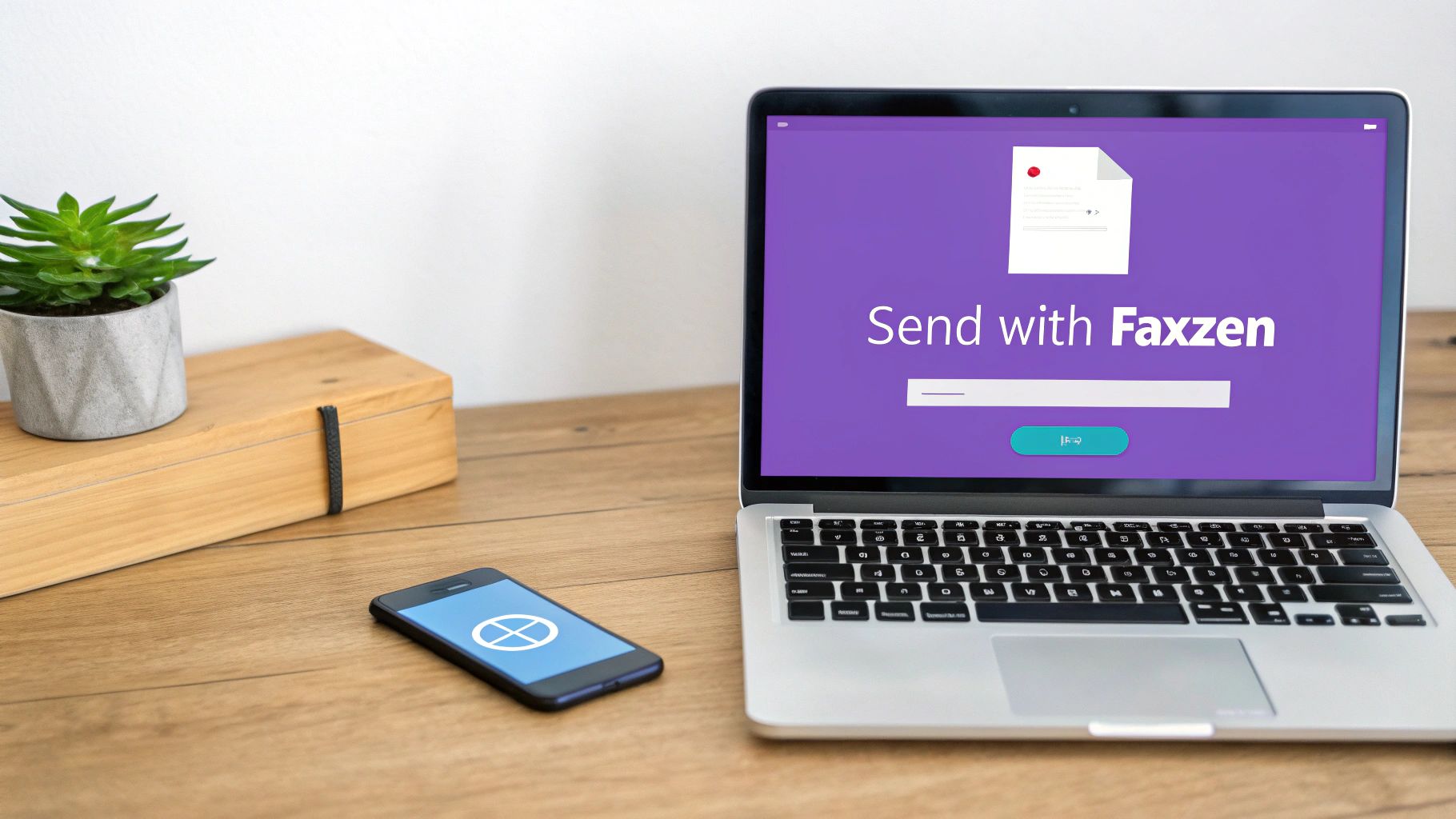
Behind that simple interface, there are some seriously powerful features designed for professional use. These tools add a layer of polish and security that makes web-based faxing a much better choice for business communications. It’s a big reason why the cloud fax services market—the engine behind 'fax via email'—is a rapidly growing industry. You can explore all the features and send your first fax by visiting the FaxZen homepage.
| Feature | Description | Real-World Benefit |
|---|---|---|
| Branded Cover Pages | Automatically add your company logo and contact details to a professional cover page. | It makes your faxes look more professional and instantly tells the recipient who it's from. |
| Smart Scheduling | Schedule a fax to be sent at a future date and time, with automatic timezone detection. | Perfect for sending documents to international clients so they arrive during their business hours. |
| 256-bit SSL Encryption | All your documents are protected with high-level encryption from the moment you upload them. | This keeps sensitive information, like medical records or financial statements, secure during transmission. |
Sending Faxes from Gmail and Outlook
For most of us, our email inbox is the command center for the workday. The great news is you can send a fax directly from the platforms you already live in, like Gmail and Outlook, without having to learn any new software. The whole process feels almost exactly like sending a normal email, which makes it an incredibly familiar and efficient way to handle documents.
The secret is all in how you address the email. Instead of typing in a person’s email address, you’ll use a specific format that combines the recipient's fax number with your online fax service’s domain. For example, to send a fax to 1-800-555-1234 using a service like FaxZen, you'd simply enter [email protected] into the "To" field. This special address is a simple but powerful command that tells the fax service exactly where to route your document.
Once you've got the recipient's address formatted correctly, the rest is just as straightforward. The subject line of your email becomes the "Subject" on the cover page. The body of your email becomes the main memo or notes section. Attaching your document is the final, crucial step. Just like any other email, you'll hit the paperclip icon and upload the file you need to send. For the best and most predictable results, always use a PDF if you can. It guarantees that what you see on your screen is exactly what the recipient will see on the printed page. To dig a little deeper, you can check out our guide on how to send a fax from Gmail.
Best Practices for Secure and Successful Email Faxing
Knowing how to fax from your email is the first step, but ensuring every transmission lands perfectly requires a little know-how. From prioritizing document clarity and managing file size to emphasizing security, a few simple checks can be the difference between a smooth delivery and a frustrating failure. A successful fax begins with a high-quality document. Remember, the receiving fax machine will print your file in black and white, so clarity is everything. A blurry or poorly scanned original will only look worse on the other end.
Another common hiccup is file size. While online services can handle large files, an excessively large attachment can still cause the transmission to fail. Be aware of common email attachment size limits to avoid issues. Before you hit "send," always, always double-check the recipient's fax number. A single wrong digit is the number one reason faxes fail. Security is non-negotiable, particularly when you're faxing sensitive information. You should only use a service that provides robust end-to-end encryption to shield your data from the moment you upload it. Finally, always check the confirmation email you receive after sending. It’s your proof of delivery and the final verification that the process was a success.
Frequently Asked Questions
Can I receive faxes via email?
Absolutely. Most online fax services give you a virtual fax number. When someone sends a fax to that number, the service converts it into a PDF and delivers it straight to your email inbox as an attachment.
What file formats can I send as a fax from my email?
You can send most common file types, like PDF, DOC, DOCX, JPG, and PNG. For best results and compatibility, PDF is always the recommended format.
Do I need a special email account to send a fax?
Nope. You can use the email account you already have, whether it’s Gmail, Outlook, Yahoo, or any other provider. The online fax service works with any standard email client.
Is faxing via email secure?
Yes, reputable online fax services use strong encryption, like 256-bit SSL, to protect your documents. This is often far more secure than a traditional fax machine, where sensitive documents might sit out in the open for anyone to see.
How will I know if my fax was delivered successfully?
Right after your fax is sent, the service will send a confirmation email to your inbox. This receipt includes details like the delivery time and status, acting as your proof of delivery.